
The 10 Best Test Makers for Teachers in 2026
 26 minutes





Finding a test maker for teachers is easy. Finding one that meets your classroom needs is harder. Some tools are perfect for quick Google Classroom assignments. Others offer question banks, automatic scoring, AI-generated quizzes, or secure online testing. This comparison explains where each platform stands today.
In this article, we review the 10 best online tools for creating assessments. These online quiz builders help teachers create well-designed, effective quizzes and exams to meet their assessment goals.
Before diving into the list, let’s first look at the key aspects of what makes a good online quiz builder for teachers.
Key Takeaways
Choosing the right quiz maker depends on what you need to assess and how learners will take your quizzes. This guide compares 10 popular online tools for creating quizzes, from free classroom tools like Google Forms to professional solutions such as iSpring QuizMaker and Articulate Quizmaker 360. You’ll find a side-by-side comparison, detailed reviews of each platform, and recommendations for different teaching and training scenarios, whether you’re creating quick knowledge checks, secure online exams, or interactive LMS-ready assessments.
Key features of a good quiz maker for teachers
In order to discern the best quiz generator for teachers, we need to cover which features are the most important.
- Question types. A range of effective question types is vital to assess your learners.
- Testing rules. Strong customization options are a pivotal factor in separating the very best quiz creation software from the rest.
- Bells and whistles. While not essential, extra features that enhance quality or save time can be a game changer when choosing your exam builder.
- Sharing and reports. Collecting data on how learners interact with your quiz can easily determine whether an assessment is successful. Analyzing test results and learning outcomes is also a fundamental part of assessment.
- Responsive output. Students spend a lot of time on their phones, so learning should also be able to happen on those devices. That’s why it’s a good idea to choose quiz creators that adapt quizzes to different screen sizes.
How we evaluated quiz makers for teachers
To provide you with an in-depth and rigorous overview of the top assessment tools for teachers, we explored a wide selection of independent review articles and professional opinions and examined the products’ pages for key information.
For the free software, we downloaded the tools for real-world usefulness and created quizzes. For the paid options, we utilized free trials and trusted professional opinions. Here’s the result.
| Tool | AI | Interactive learning | Secure testing | LMS publishing | Analytics | Mobile-friendly |
| Google Forms | — | Weak | Weak | — | Weak | ✓ |
| Hot Potatoes | — | Weak | Weak | ✓ | Weak | ✓ |
| QuizStar | — | Weak | Weak | — | Weak | — |
| iSpring QuizMaker | ✓ | Good | Strong | ✓ | Strong | ✓ |
| Quizlet | ✓ | Strong | — | — | Weak | ✓ |
| Articulate Quizmaker 360 | ✓ | Good | Strong | ✓ | Strong | ✓ |
| Respondus | — | Weak | Strong | ✓ | Good | ✓ |
| Kahoot! | ✓ | Strong | Weak | Limited | Good | ✓ |
| Wayground | ✓ | Strong | Good | ✓ | Strong | ✓ |
| Formative | ✓ | Good | Good | ✓ | Strong | ✓ |
The 3 best free quiz makers in 2026
These free quiz making software for teachers facilitate online quiz and test creation, yet their essential features and usability may vary.
1. Hot Potatoes — Create language exercises with ease
Hot Potatoes is a free quiz builder that offers a suite of six applications. Five of the apps allow you to create quizzes with multiple question types. The sixth app enables teachers to mix and match exercises. Then, you can publish them as web pages or upload them to your LMS.
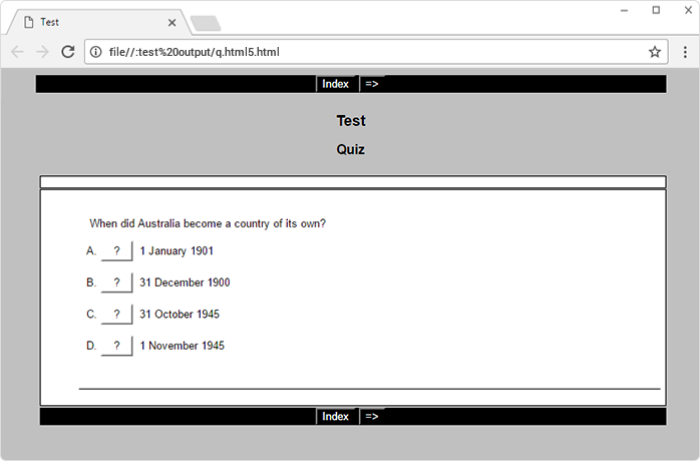
This quiz creator for teachers is ideal for language instructors who want to create vocabulary quizzes and short practice exercises for their students. Advanced functionality is only possible for those familiar with JavaScript and HTML.
Compared with newer assessment platforms, Hot Potatoes offers limited reporting, collaboration, and AI-assisted authoring features.
Key features and how it works
Question types. You can choose from 6 different question types, including crosswords, fill-in-the-blanks, and multiple-choice.
Testing rules. You can assign different values to different questions, set time limits, and set penalties for incorrect answers. Moreover, students can navigate freely and have the option of hints, which is impressive for a free online quiz creator.
Bells and whistles. Like other exam makers for teachers, Hot Potatoes allows you to add graphics, images, and other design elements to enhance the visual experience. While the design elements are good, that’s about it for extra features.
Sharing and reports. You can create quizzes and publish online tests as web pages (which are easily edited in WYSIWYG editors), create SCORM packages for LMSs, or paste quizzes into a document for printing. You can email results through your server (complicated configuration) or track them in your LMS.
Best suited for
Hot Potatoes seems to be designed with K-12 educators in mind, particularly those in the language arts disciplines. This test generator allows teachers to create quizzes with drill-and-practice exercises. Unlike traditional graded quizzes and interactive tests, Hot Potatoes focuses on fostering mastery of concepts, like grammar reinforcement.
2. Google Forms — Quick online quizzes for teachers
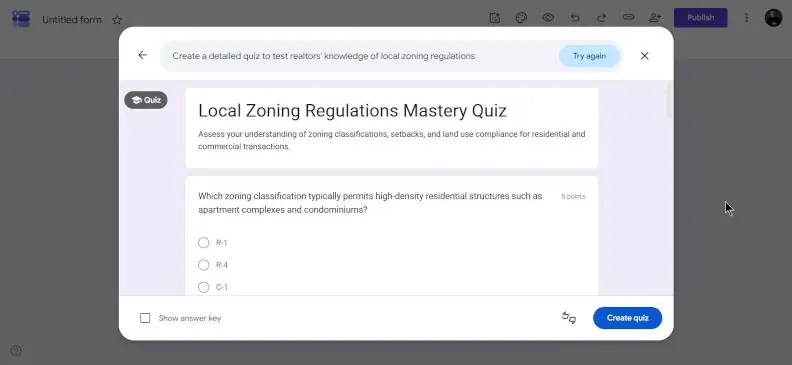
Google Forms can serve as a free online test maker. Because it’s web-based, surveys and tests are easy to take on mobile devices.
Key features and how it works
To create a quiz, open Google Forms, enable Quiz mode, add questions and answer keys, and choose when students should receive their scores. If you need more advanced grading or analysis, you can connect the responses to Google Sheets and use Flubaroo.
Google Forms integrates naturally with Google Classroom, Google Drive, and Google Sheets.
Question types. This creator has 12 types of questions: multiple-choice, short-answer, text, file upload, checkbox grid, dropdown, linear scale, and date and time.
Testing rules. Google Forms is a simple online quiz builder. While it doesn’t offer extensive customization options, the available options are all logical and useful.
Bells and whistles. Unsurprisingly, this free assessment maker doesn’t have a wow factor in terms of visual design, but it does have its merits. Your quiz can easily fit into branded themes; images, links, and videos can also feature in your test. With branching, you can show students certain sections based on their answers.
Sharing and reports. Teachers can generate automated reports that showcase various metrics, such as average score, question difficulty levels, student performance percentages, and commonly missed questions. The report is displayed as a table or a diagram, and students can receive their results via email.
Best suited for
Google Forms offers a convenient solution for educators who need to create surveys and quick quizzes frequently, have the results graded automatically, and provide instant feedback to test takers. Online tests and surveys can be used as a quick assessment tool for teachers.
Too much to read? Get a summary from AI
3. QuizStar — an LMS-like experience for teachers
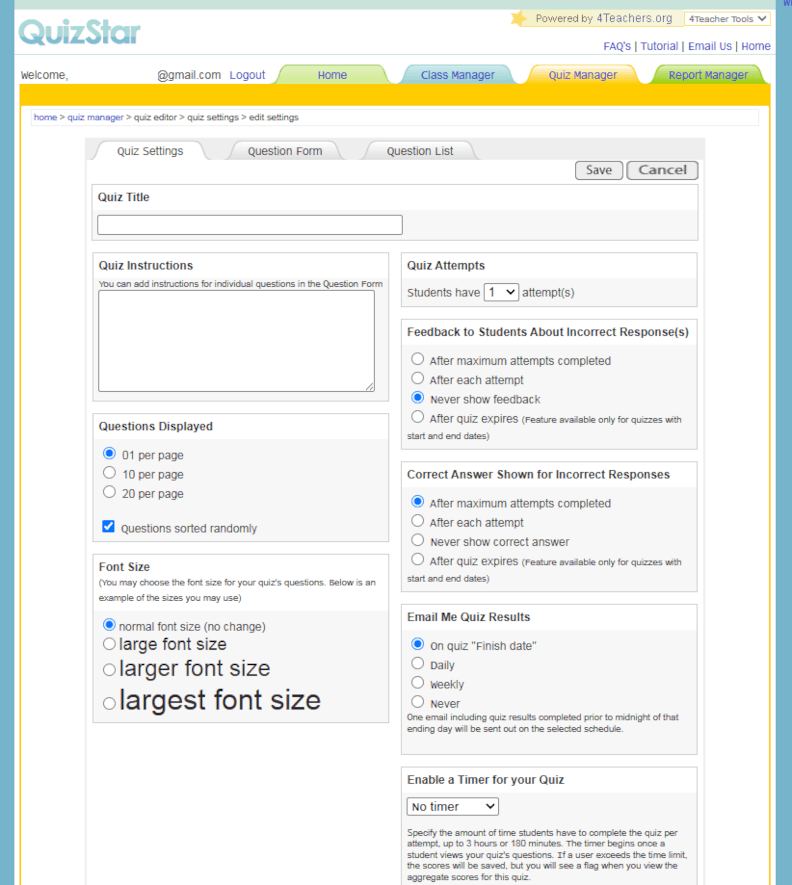
QuizStar is a free test maker for teachers that’s designed to create quizzes, manage classrooms, and review student performance. However, it’s important to note that QuizStar currently lacks mobile optimization, so it’s better to only run tests on desktop and laptop devices.
Key features and how it works
To use this quiz generator, simply register online and create your quizzes, then invite your learners to join and attempt to answer. Finally, view the results — all in your web browser.
Question types. 3 different question types are available in this test builder: multiple-choice, true/false, and short-answer.
Testing rules. QuizStar doesn’t offer a huge range of customization options compared to other school test builders. However, you can set timers, the number of attempts allowed, points awarded for each question, and specific start and end dates for tests.
Bells and whistles. You don’t get many additional features, such as branching or visual design options, but that isn’t a significant criticism for a free online testing platform for teachers.
Sharing and reports. QuizStar works similarly to an LMS, with online classrooms and reporting available, and the added benefit of instructions and feedback for learners.
Best suited for
As an online test platform, QuizStar works best for teachers at schools that don’t have the necessary time or resources to implement a dedicated LMS, but instead want an easy online quiz tool with little to no learning curve.
The 7 best paid and freemium quiz generators in 2026
If you’re looking for high-quality performance, extensive testing capabilities, and expert technical support, you might want to invest in paid test making software for teachers. Explore these seven premium quiz creation tools favored by educators and quiz developers alike.
4. iSpring QuizMaker — Well-designed interactive quizzes in a snap
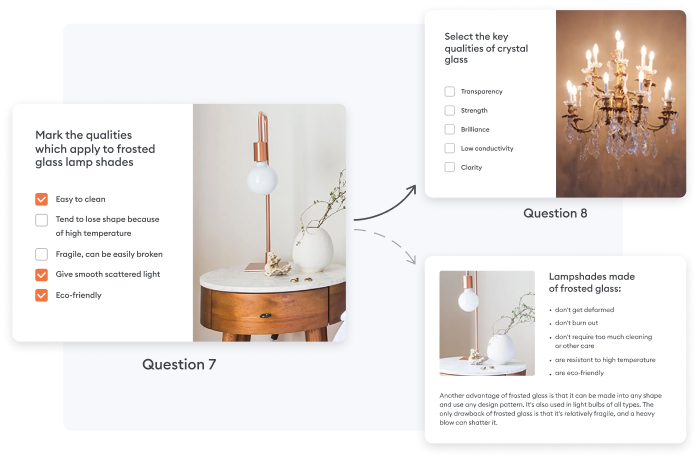
iSpring QuizMaker sets itself apart by being an intuitive test creator. It comes with all the tools and templates you need to create both simple and complex interactive assessments for all types of devices.
Key features and how it works
Designed for teachers and instructional designers, iSpring QuizMaker combines an Office-like interface with professional assessment features, making it easy to build anything from quick classroom quizzes to certification exams.
When used as part of the iSpring Suite ecosystem, creators can also take advantage of AI-powered authoring tools to speed up course development.
Question types. With 14 different question types, including drag-and-drop, hotspot, matching, sequence, and Likert-scale questions, and a wealth of pre-made templates, complex assessments are easy to create.
Testing rules. Customization is one of this assessment builder’s strong suits, with both grouped and graded questions, shuffled questions, and all the standard options, such as time limits, point allocation, passing and negative scoring, attempt limits, and more.
Bells and whistles. iSpring QuizMaker is one of the most feature-rich test generators around. When it comes to design, you can add a range of types of media and fully customize the design of your tests. You can also create branching scenarios for bespoke learning paths. Additionally, info slides and answer feedback are a huge plus for your formative assessments.
Sharing and reports. Your tests will be compatible with 156 different LMSs or can be exported to a website, MS Word, or a cloud-sharing platform. You can produce detailed reports through an LMS or even via email. Supported standards include SCORM 1.2, SCORM 2004, xAPI, cmi5, and AICC.
Pricing
A free, fully functional 14-day trial is available. A subscription to iSpring QuizMaker costs $470/year.
Best suited for
iSpring QuizMaker is well suited to teachers, trainers, and instructional designers who need professional assessments without the complexity of many enterprise authoring tools. It combines a familiar interface with advanced quiz logic, LMS compatibility, and reliable mobile delivery.
5. Quizlet — Bring AI into the classroom
Quizlet is an intuitive test generator that helps teachers create study materials, practice tests, and classroom activities while giving students multiple ways to review the same content.
Key features and how it works
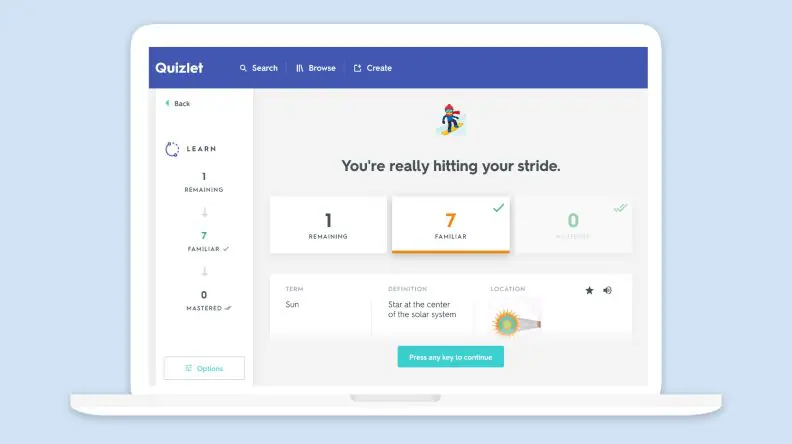
Quizlet is a web test generator with a user-friendly interface. It includes AI and gamification features to increase student engagement. Educators can use question templates or create quizzes from scratch. Quizlet has a responsive design, so students can take tests on mobile devices.
Question types. Quizlet offers several question types, including multiple-choice, true/false, written response, fill-in-the-blank, multiple-choice, and audio-based questions.
Testing rules. Teachers can set time limits, the number of attempts allowed, assign points for each question, and allow students to skip questions. You can also either shuffle questions or put them in a specific order.
Bells and whistles:
- Teachers can enhance classroom learning and deepen understanding with a Q-Chat AI tutor that can help students understand the materials, guide them, and provide study coaching when they don’t know where to start.
- Quizlet includes gamification features, such as achievements, leaderboards, and interactive study games, to enhance user engagement and motivation.
- This quiz generator enables teachers to create custom study modes or use those that are built in, such as Flashcards, Learn, Test, and Match.
- It’s also possible to enhance quizzes with images and audio.
- Students can get instant feedback after completing the test.
Sharing and reports. Sharing options are limited: teachers can share the direct link to the quiz or send the quiz via email, Google Classroom, Remind, or Microsoft Teams. The preview option helps you see how a test will look on various devices before publishing. As for reporting, educators can create classrooms to gain comprehensive insights and track individual student performance right in the app. Quizlet doesn’t offer SCORM or LMS compliance.
Pricing
The Quizlet Teacher Plus subscription costs $35.99/year. It comes with a free 30-day trial of all premium features. Discounts are available for group subscription purchases.
Best suited for
Quizlet is a suitable solution for those teachers who don’t want to install any additional software but want to easily create custom study materials, monitor student performance, save time, and engage learners with gamification features.
6. Articulate Quizmaker 360 — Build complex interactions
Articulate Quizmaker 360 is one of the most advanced assessment creation tools available online today. It is suited to teachers and instructional designers with strong technical skills for designing complex exams.
Key features and how it works
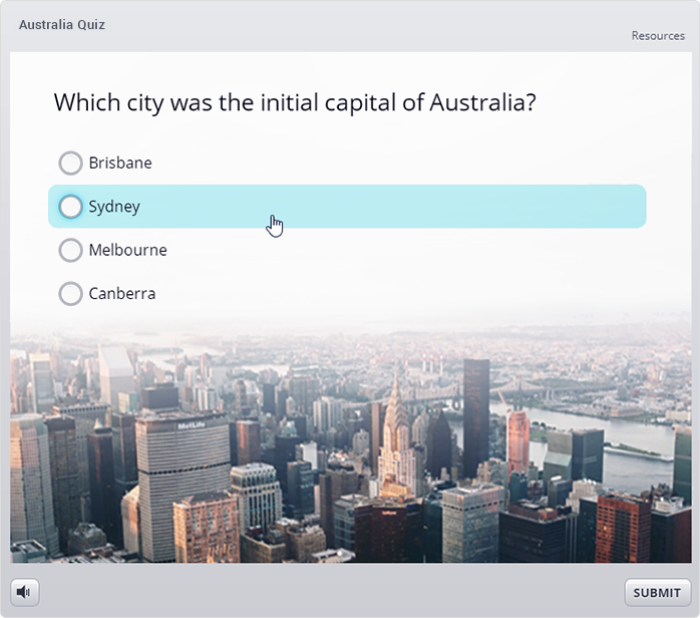
The online quiz maker comes as part of Articulate 360, a PowerPoint-like software for designing learning material. The platform is easy to use if you have experience with MS PowerPoint, but the customization features can be a little tricky to master.
Because Quizmaker is part of the broader Articulate 360 suite, assessments can be integrated directly into Storyline and other Articulate projects.
Question types. Articulate boasts 25 different question types, both form-based and free-form.
Testing rules. You can set intricate scoring, number of attempts allowed, and flexible navigation with question grouping and shuffling.
Bells and whistles. As one of the more advanced platforms for creating quizzes, Articulate comes with plenty of design and customization options. You also get access to Content Library 360 and can add custom characters to the test. Feedback and branching scenarios are also present.
Sharing and reports. Articulate Quizmaker 360, like other top test-making platforms, can publish finished content to the web, an LMS, or MS Word. Quizzes made on this platform are optimized for any device. Analytics are accessible through an LMS.
Pricing
Articulate Quizmaker 360 is included in Articulate 360, a subscription that costs $1,449 per user/year on the Personal Plan. A fully functional 30-day free trial of the authoring software is also available.
Best suited for
Articulate Quizmaker is a mainstay of the eLearning industry and is used by many teachers and instructional designers. However, its price tag and steep learning curve mean that it’s best suited to experienced professionals.
7. Respondus — Create exams for your LMS
Respondus is an assessment authoring tool designed primarily for higher education. This exam maker works with LMS platforms like Canvas, Blackboard, Brightspace, and Moodle.
Key features and how it works
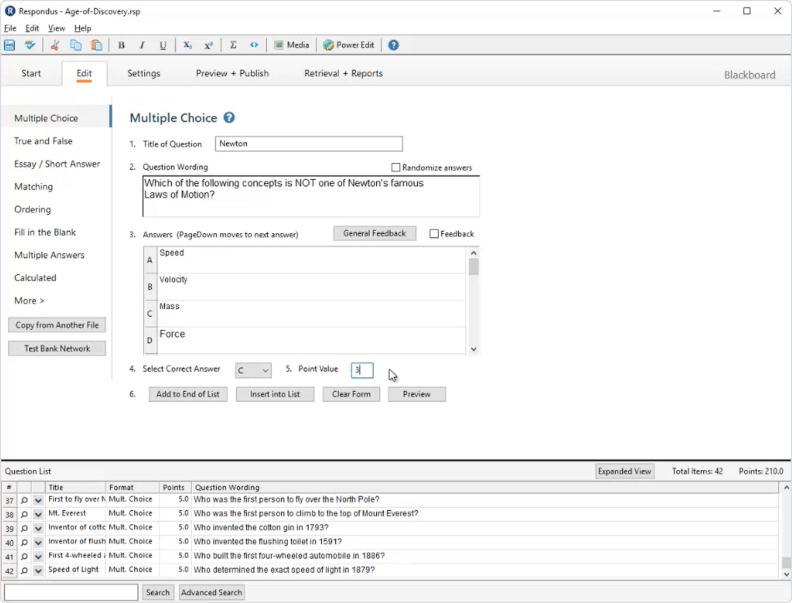
Whether you want to create or import questions, Respondus is pretty easy to use, with a simple interface and user guides. It also allows you to move tests between separate courses.
Compared with modern classroom assessment tools, Respondus places much greater emphasis on exam security than AI-assisted authoring, gamification, or interactive learning activities.
Question types. Respondus offers 15 question types, but the exact range depends on which LMS you’re using.
Testing rules. Respondus quizzes can be password protected and offer time limits, while questions can be grouped and randomized (shuffle questions).
Bells and whistles. Media can be added to your tests, and an equation editor comes in handy for math quizzes too. Students can benefit from instant feedback.
Sharing and reports. As mentioned, Respondus integrates seamlessly with a number of LMS platforms, each of which will have its own functionality for sharing and reporting for assessments. You can also share projects with colleagues within the test builder.
Pricing
A free 30-day trial is available for this online test generator for teachers. The annual fee starts at $149 for a Standard license. A more affordable online-only special license is also available.
Best suited for
Respondus is best suited for colleges, universities, and other organizations that deliver secure exams through a learning management system. It’s less appropriate for teachers looking for quick classroom quizzes or highly visual interactive assessments.
8. Kahoot! — Build engaging quizzes for live and self-paced learning
Kahoot! is one of the most recognizable online quiz platforms for schools, universities, and workplace training. While it’s best known for live game-based quizzes, it also supports self-paced assignments, assessments, and AI-assisted quiz creation.
Key features and how it works
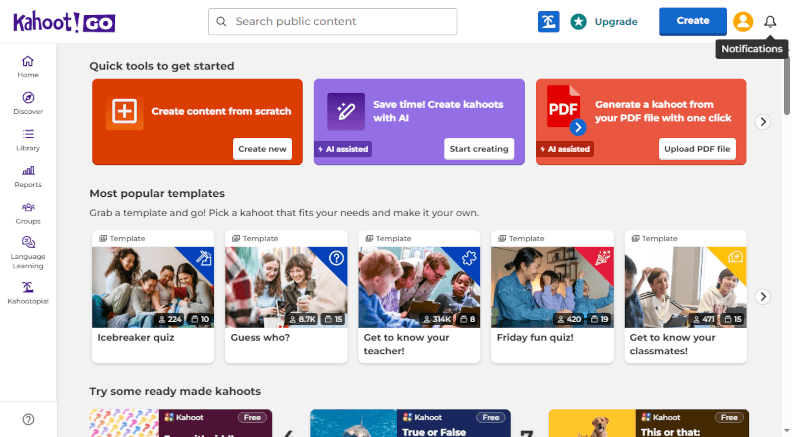
Whether you’re creating a quiz from scratch or generating one with AI, Kahoot! makes it easy to build interactive learning activities with a clean, intuitive interface.
Question types. Kahoot! supports multiple-choice, true/false, type answer, puzzle, poll, scale, and word cloud questions. The exact selection depends on your subscription plan.
Testing rules. You can set time limits, shuffle questions and answers, assign quizzes for self-paced completion, and control player access with PINs or authentication options.
Bells and whistles. It stands out with its game-based experience, including music, points, leaderboards, and team mode. It also offers AI-powered quiz generation, media support, and a large library of ready-made quizzes that can be copied and customized.
Sharing and reports. Kahoot! quizzes can be shared via links or PINs, assigned through Google Classroom and Microsoft Teams, or delivered live. Reports include participation, accuracy, and question-level performance, with more detailed analytics available on paid plans.
Pricing
The quiz maker offers a free plan with basic quiz creation and live games. Paid plans unlock additional question types, AI features, advanced reporting, branding options, larger participant limits, and more classroom and business tools.
Best suited for
Kahoot! is best suited for teachers, trainers, and presenters who want to make learning more interactive.
9. Wayground (formerly Quizizz) — Create interactive quizzes with AI assistance
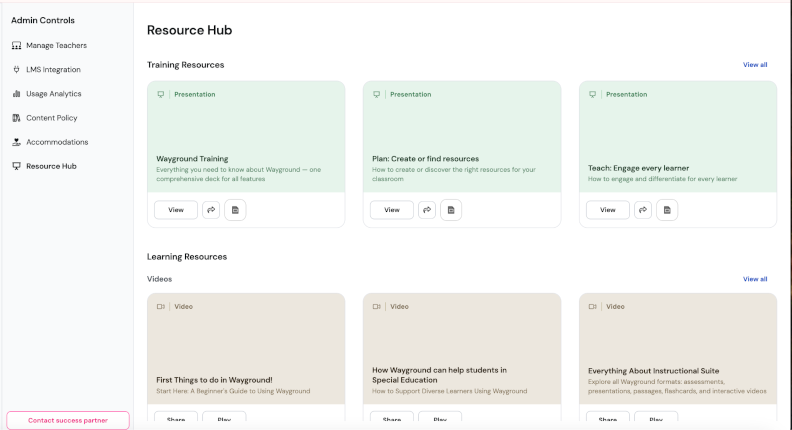
Wayground, formerly known as Quizizz, is an online assessment platform that helps teachers and trainers create engaging quizzes, lessons, and assignments. It supports both live and self-paced learning and combines game-like elements with detailed reporting and AI-powered content creation.
Key features and how it works
Whether you start with a prompt, upload your own materials, or build a quiz from scratch, Wayground offers an intuitive interface and a large library of ready-made resources that you can customize.
Question types. Wayground supports multiple-choice, checkbox, fill-in-the-blank, open-ended, matching, poll, draw, audio response, and several other question formats. The exact selection depends on your subscription plan.
Testing rules. You can set time limits, shuffle questions and answer choices, assign quizzes as homework, control attempts, and customize pacing for live or self-paced sessions.
Bells and whistles. AI can generate quizzes from text, PDFs, presentations, or prompts. The platform also includes gamification features, such as points, power-ups, memes, music, and leaderboards. Teachers can choose from millions of public quizzes and adapt them for their own classes.
Sharing and reports. Quizzes can be shared with a link, join code, or through integrations with Google Classroom, Microsoft Teams, and major LMS platforms. Reports provide detailed insights into individual and class performance, question-level accuracy, and learning gaps.
Pricing
Wayground offers a free plan with quiz creation, live lessons, homework assignments, and basic reporting. Paid plans add more AI capabilities, advanced analytics, premium content, administrative tools, and additional customization options.
Best suited for
Wayground is best suited for K-12 teachers, higher education instructors, and trainers who want to combine interactive learning with detailed assessment data. It works particularly well for formative assessments, homework, and classroom engagement, while offering more robust reporting than many game-based quiz platforms.
10. Formative — Monitor student learning in real time
Formative is an online assessment platform built for K-12 and higher education. It allows teachers to create quizzes, assignments, and interactive lessons while monitoring student progress as responses come in. The platform focuses on formative assessment, helping educators identify learning gaps before final evaluations.
Key features and how it works
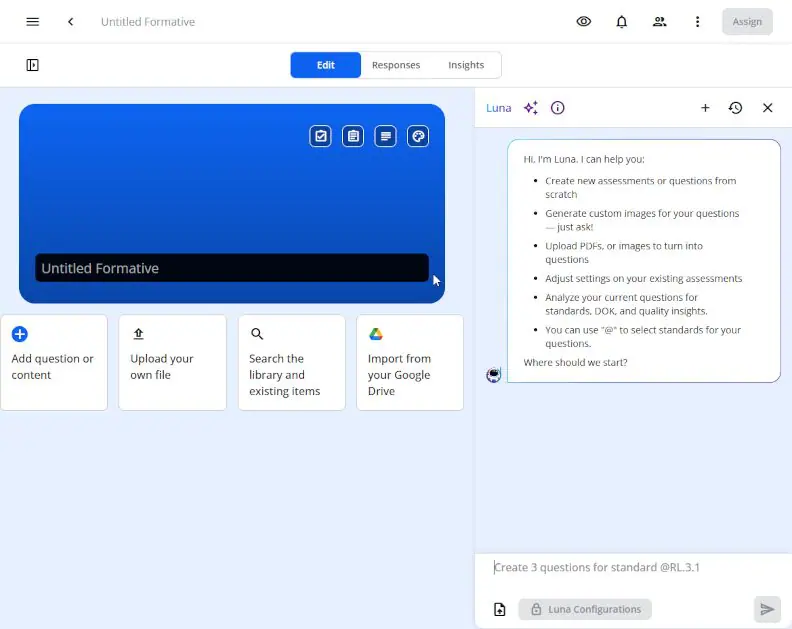
You can build assessments from scratch, import existing materials, or use AI to generate questions and activities. The interface is straightforward, and teachers can organize assignments by class, subject, or learning objective.
Question types. Formative supports a range of question types, including multiple-choice, true/false, short answer, essay, matching, and fill-in-the-blank, as well as response types such as drawing, graphing, audio response, and file upload.
Testing rules. Teachers can control assignment availability, set due dates, limit attempts, shuffle questions, and choose whether students receive immediate feedback or see answers after submission.
Bells and whistles. One of Formative’s standout features is live response monitoring, which lets teachers watch student answers appear in real time and provide instant feedback. AI tools help generate questions and instructional materials, while support for multimedia, whiteboard activities, and collaborative exercises makes lessons more interactive.
Sharing and reports. Assessments can be assigned through Google Classroom, Microsoft Teams, Canvas, Schoology, and other LMS platforms. Reporting includes individual and class performance, standards mastery, question analysis, and progress over time, with more advanced analytics available on paid plans.
Pricing
The quiz maker offers a free plan with core assessment features, real-time student responses, and basic reporting. Paid plans add AI-powered tools, advanced analytics, standards tracking, collaboration features, and school or district administration capabilities.
Best suited for
Formative is best suited for teachers who want continuous insight into student progress rather than relying only on end-of-course test results. It works especially well for formative assessment, classroom instruction, and personalized feedback, making it a strong choice for schools that prioritize ongoing learning progress over traditional testing alone.
How to choose a quiz generator
Google Forms is a great free option for those wanting to create a very simple and shareable quiz or survey, or for someone who wants to learn the ropes of how online exam generators can be used to various ends. Respondus is a good fit for those who are ready to pay after the trial.
Some platforms put engagement first. Kahoot! works well for live sessions where participation matters as much as the final score. Wayground adds AI-powered quiz creation, flexible assignments, and detailed reports, making it a strong option for both classroom activities and homework. Formative takes a different approach by letting teachers see student responses as they’re being submitted, making it easier to step in before misunderstandings turn into bigger problems.
For more advanced assessments, iSpring QuizMaker and Articulate Quizmaker 360 offer much greater flexibility. iSpring QuizMaker is a great option for its ease of use and its selection of question types, features, and visual design. Moreover, it offers a very similar experience to Articulate but comes at a lower price. This makes it a great option for teachers and instructional designers looking to make professional-looking assessments.
On the other hand, Quizlet is a good fit for those teachers who want to use gamification and AI to increase student engagement and create quizzes; however, this quiz maker cannot publish SCORM packages.
Here, we’ve collected all our insights into a table to make it even easier to choose:
| If you need to… | Best choice |
| Create a quick quiz or survey | Google Forms |
| Build interactive assessments for an LMS | iSpring QuizMaker |
| Develop complex eLearning assessments | Articulate Quizmaker 360 |
| Run secure online exams | Respondus |
| Engage learners during live lessons | Kahoot! |
| Create AI-assisted quizzes and homework | Wayground |
| Monitor student understanding in real time | Formative |
| Help students revise independently | Quizlet |
| Create language-learning exercises | Hot Potatoes |
| Set up simple classroom quizzes | QuizStar |
Conclusion
As you can see, there’s no shortage of online quiz makers in today’s market. But if you need to conduct comprehensive knowledge assessments and create beautifully designed interactive quizzes, check out iSpring QuizMaker.
No tech skills or design background are required to get started with this online quiz maker for teachers. Download a fully functional, 14-day free trial to see how iSpring QuizMaker works for you.
FAQ
Here, you’ll find answers to some frequently asked questions about online test makers.
What is an online quiz maker?
A test maker is software that allows you to create quizzes and assess learners’ knowledge online. They may have different question types, various testing rules, and degrees of customization.
Why use online testing software?
There are many benefits to using these quiz makers. We’ll highlight three main ones:
- You can create an unlimited number of tests and deliver them online to reach more people in your classroom, in another city, or even abroad.
- Online quiz makers save teachers time. They can create a quiz once and distribute it to test takers multiple times. Teachers don’t need to manually check tests because most tools calculate scores and grade tests automatically in real time.
- Test makers can reduce cheating by giving students unique question sets or rearranging questions and answers.
Who can use a quiz maker?
Teachers can use online test makers to create quizzes and engage learners, students can use them to get ready for exams, and training managers can use tests and quizzes to create employee training assessments, to name a few.
Can I randomize the order of questions on the test?
Yes, you can, as some online quiz makers provide this functionality.
Can I add images or videos to my quiz questions?
Yes, that’s possible, as most quiz generators allow for uploading images to quiz questions.
Can I create different types of questions?
Yes, you can. Most online test makers for teachers allow educators to create various question types and add them to interactive assessments to better engage learners.
Create interactive quizzes for learning, knowledge checks, and skill practice

Knowledge Checks in eLearning: Assess to Success

How to Create a Moodle Quiz: Step-by-Step Guide

