From ideas to reality: how Will Snoad turns creative concepts into learning experiences
 7 minutes


For Will Snoad, eLearning development starts with deciding what is worth turning into a course in the first place, then finding the right way to bring the idea to life.
An eLearning developer and graphic designer with nearly a decade of experience across Swansea’s two universities, Will works across instructional design, multimedia, accessibility, and creative technology. His projects have included digital learning content, video, animation, graphics, VR, and LMS development.
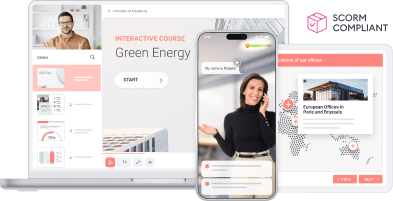
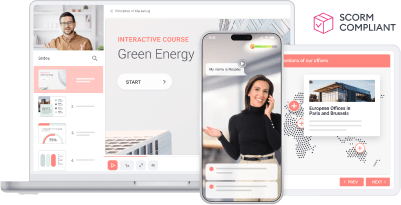
That approach earned him first place in the Slide-Based Course category of the 2026 iSpring Course Creation Contest.
For Will, though, creativity is never an end in itself. The real challenge is making an idea work.
“The biggest challenge I face is turning ideas into reality”

Will Snoad,
eLearning Developer and Digital Designer
Will often starts with ambitious ideas for learning experiences. The difficult part is turning them into something that can work within the available time, budget, and technology.
“The biggest challenge I face as an instructional designer is turning ideas into reality.”
Working in higher education has given Will opportunities to experiment more freely than some corporate learning environments allow. But every idea still has to answer the same question: does it actually help people learn?
Not every course needs elaborate interactions, animation, or other “bells and whistles.” Sometimes the most effective solution is also the simplest one.
For Will, creative thinking also means knowing when to stop.
What you leave out can matter as much as what you put in
Some of Will’s most important decisions happen before a course is built.
What we leave out is just as important as what we put in!
Some projects never make it beyond the initial discussion phase because turning the proposed content into a learning program wouldn’t actually solve the problem.
Even when a project moves forward, the source material may need heavy editing. Will recalls receiving SME content that ran to hundreds of slides and thousands of words, far more than a 10-hour, 10-credit eLearning module could reasonably accommodate.
An instructional designer’s job isn’t to preserve everything an expert knows. It’s to decide what learners need, what can be cut, and what needs to be reshaped for the course.
That filtering process is where instructional design meets editorial judgment.
Give learners a reason to want the course
Will has also learned that getting people interested in a course starts before they ever open it.
Working in small teams, Will has often handled marketing alongside the learning content. One approach that has worked particularly well is giving potential learners a preview of the course.
I’ve found YouTube and showcasing example videos or trailers of the courses has been fantastic in driving enrollments.
A trailer gives potential learners a chance to see the tone and format of the course before they commit to it.
For Will’s team, those previews can also raise awareness of a program and help drive additional revenue.
For learning teams working with limited resources, the lesson is straightforward: sometimes the best way to generate buy-in is to let people see the experience for themselves.
Let the learning experience speak for itself
Promotion can get people interested, but Will believes the course itself has to deliver.
He wants to create learning that solves a real problem and is useful enough for learners to recommend to others.
I believe the learning experience should speak for itself.
That means making learning engaging, relevant, practical, accessible, and easy to apply.
When a course works well, learners are more likely to recommend it to others. Positive feedback and word of mouth can help it reach a wider audience.
For Will, the strongest promotion comes from giving people an experience worth recommending.
“There is no limit!”
Will’s brings the same creative mindset to technology.
His advice to his younger self is simple:
There is no limit! If there is one software that doesn’t quite do what you need it to, there is always another that does, or at the very least a workaround that will get you close.
That attitude serves him well in a field where the tools keep changing.
When Will was asked to create a VR learning experience, he had never worked with VR or Unity before. He put on a Meta Quest 3 and started learning.
I’ll always say yes to the task, and given a few days, weeks, or months, I’ll have delivered it.
That willingness to learn unfamiliar software has expanded what Will can create, from conventional eLearning to immersive experiences.
Using AI to make ideas more immersive
Will uses AI to extend what he can create, not to replace the designer’s role.
In his winning iSpring Course Creation Contest entry, he used AI to enhance and modify imagery.
I think this is a great way of how it can be used to enhance immersion and ensure a coherent theme that looks and feels the part.
For Will, visual consistency helps make the learning environment feel convincing. AI lets him adapt imagery while keeping the visual direction coherent, without creating every asset from scratch.
He also uses AI as a creative sounding board and troubleshooting assistant — a way to explore ideas or solve smaller technical problems without spending hours searching through tutorials.
AI can expand what Will is able to try, but he still decides what belongs in the final experience.
Designing for active recall, not passive completion
Will looks at what learners are actually doing in the course, not just whether they reach the end.
He avoids relying too heavily on passive content and looks for ways to make learners recall and use information.
If I can make something where the learner is actively recalling information to learn it, then I’ve found that users are more likely to finish the course and do better.
Completion rates and user scores give Will useful signals, but he does not treat them as definitive. Prior knowledge and the quality of the content can also affect the results.
When more learners finish the course and perform well, Will takes that as a sign that the design is working.
Technology should make learning easier to manage and use
Will has worked with several LMS platforms, including Moodle, Blackboard, and Canvas. While each has its strengths, Canvas stood out to him because of its modern interface and flexibility.
Centralizing learning content made it easier to track students, produce more reliable analytics, and give learners a more consistent experience.
That consistency becomes especially useful across multiple courses, instructors, and learner groups. The LMS gives Will one place to deliver the content and monitor how learners are using it.
Accessibility is part of the design
Accessibility is also a core part of Will’s work. His responsibilities include captioning eLearning content and making it compatible with screen readers.
Creative learning experiences only work when learners can access them. Whether the format is a slide-based course, video, animation, or immersive VR experience, accessibility has to remain part of the design process rather than an afterthought.
The same mindset appears in Will’s broader approach: push the possibilities of technology, but keep the learner and the purpose of the learning at the center.
Creativity can be a sustainable way of working
Will has been fortunate to work in roles where no two days are exactly alike.
Different projects call for different software, technical skills, and creative approaches. That variety helps keep the work from becoming repetitive.
This true creative freedom really helps with burnout even if I am limited, at times, to just corporate colors/fonts.
For a creative professional, constraints don’t necessarily eliminate creativity. Sometimes they simply define the boundaries within which it can happen.
From creative concept to learning experience
Will’s first-place finish in the Slide-Based Course category reflects the approach he brings to eLearning development: start with an idea, ask whether it deserves to become learning, and then find the right tools and techniques to make it work.
Will doesn’t add technology simply because he can. He looks for places where it can improve the learning experience, then figures out how to make the idea work.
Whether he’s working with a familiar authoring tool, experimenting with AI, or stepping into VR for the first time, Will keeps coming back to the same principle: there is usually a way to build what you need.
And sometimes, the most important design decision is knowing what not to build.
Create online courses and assessments in record time.