Inclusive by design: what accessible e-learning actually looks like in practice
 6 minutes

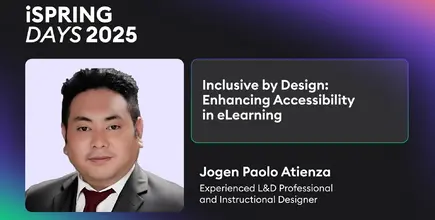
This article is adapted from a session presented at iSpring Days APAC 2025

At iSpring Days APAC 2025, learning and organizational development professional Jogen Paolo Atienza explored a topic that many learning teams acknowledge in theory, but still struggle to implement consistently in practice: accessibility in eLearning.
But instead of approaching accessibility as a checklist or compliance requirement, the session focused on something more fundamental: The difference between adding accessibility features after a course is built versus designing learning experiences inclusively from the very beginning.
That distinction shaped the entire discussion.
Join Jogen and other industry leaders for the vibrant iSpring Days ANZ & APAC 2026 on June 9-10! Register for free
Accessibility is not the same thing as inclusion
One of the clearest ideas from the session was that accessibility and inclusion are related, but not identical.
As Jogen explained, accessibility often means adapting content so more people can use it. Inclusion starts earlier. It means designing with different learners already in mind before development even begins.
Integration adds features whereas inclusion starts with them.
That sounds subtle at first, but operationally it changes quite a lot.
When accessibility is treated as a late-stage adjustment, it often becomes reactive:
adding captions afterward, fixing color contrast issues later, or trying to retrofit screen reader compatibility into content that wasn’t originally designed for it.
Inclusive design works differently.
The assumption from the start is that learners will have:
- different abilities,
- different learning preferences,
- different devices,
- different reading speeds,
- and different ways of interacting with content.
That shift in mindset was really the foundation of the presentation.
Many accessibility problems begin long before technology is involved
Interestingly, some of the most practical parts of the session had very little to do with advanced tools or technical standards.
Jogen talked about everyday design habits that quietly make learning harder: crowded slides, inconsistent navigation, unclear layouts, poor color contrast, inaccessible interactions, or screens overloaded with text.
One example he mentioned was the tendency to squeeze too much information onto a single screen.
There’s no extra charge if we add another screen.
It’s a simple observation, but it reflects a broader issue in workplace learning:
many e-learning experiences are designed around content density instead of learner usability.
And often, accessibility problems emerge there first.
Not because organizations intentionally exclude learners, but because development priorities tend to focus on speed, completion, or deployment deadlines rather than cognitive load and usability.
Consistency matters more than many designers realize
Another practical point throughout the session was the importance of consistency.
Navigation buttons that constantly move positions.
Interactions that behave differently from screen to screen.
Layouts that change unpredictably.
Small things individually — but together they create friction, especially for learners relying on assistive technologies or structured navigation patterns.
Jogen emphasized that accessible learning environments are often less about adding complexity and more about reducing unnecessary confusion.
That idea also applies to language itself.
Inclusive language changes more than wording
One of the more interesting sections focused on language choices inside learning content.
Jogen encouraged designers to think carefully about terminology and default phrasing, using examples like “firefighter” instead of “fireman,” or “allow list” instead of “whitelist.”
On the surface, these may seem like small editorial decisions.
But they reflect something larger: whether learners feel implicitly included in the environment being created.
The session approached inclusion not as political correctness, but as clarity, neutrality, and respect for different audiences.
That framing made the discussion feel much more practical and grounded.
Accessibility is also about pace, not only format
One detail that stood out during the presentation was Jogen’s discussion around timing and gamification.
Many eLearning designers add timers, rapid interactions, or game mechanics to increase engagement. But accessibility requires acknowledging that learners process information differently.
Not every learners have the same way of learning things.
That becomes especially important in:
- compliance training,
- onboarding,
- technical learning,
- or multilingual environments.
The session repeatedly returned to the idea that inclusive design means allowing enough flexibility for learners to move through content at different speeds and in different ways.
Not lowering standards.
Reducing unnecessary barriers.
The technology already exists — the bigger challenge is habit
One of the most revealing moments came during the Q&A section.
An attendee asked how organizations can build cultures that prioritize accessibility rather than treating it as optional.
Jogen’s answer was surprisingly honest: many organizations still focus primarily on making content available quickly, not necessarily making it inclusive.
And he admitted that even experienced designers sometimes fall into that pattern when juggling multiple projects and deadlines.
What changes things, according to Jogen, is repetition.
Once inclusive design becomes part of the normal workflow — storyboarding, layouts, interactions, media choices — it gradually stops feeling like additional work and starts becoming standard practice.
That answer probably captured the reality of workplace learning insights better than any framework or checklist could.
Accessibility standards matter, but usability matters too
The session also covered formal accessibility frameworks including ADA, Section 508, and WCAG standards.
But importantly, the presentation didn’t get lost in compliance terminology.
Instead, Jogen translated those standards into practical design decisions:
- captions,
- keyboard navigation,
- readable layouts,
- descriptive text,
- adaptable content,
- accessible interactions,
- and flexible assessment approaches.
The emphasis stayed consistently on learner experience rather than technical compliance alone.
That distinction matters because accessible learning environments are rarely created through standards documents by themselves.
They’re created through hundreds of small design decisions.
AI may quietly change accessibility more than expected
Toward the end of the session, the conversation briefly shifted toward AI tools.
Jogen pointed out that many accessibility tasks that once required significant manual effort — translation, captions, transcripts, language adaptation — are becoming much easier through AI-assisted workflows.
That observation felt important because accessibility has historically been treated by some organizations as resource-intensive or difficult to scale.
But many barriers are becoming easier to address operationally.
Which means the challenge may increasingly become less about technical possibility and more about whether teams intentionally prioritize inclusive design in the first place.
Final thoughts
What made this session particularly useful was that it treated accessibility as part of good learning design — not a separate layer added afterward.
The presentation wasn’t really about compliance.
It was about usability, clarity, flexibility, and recognizing that learners do not all experience content in the same way.
As Jogen put it during the discussion, inclusive design becomes much easier once teams stop treating it as something extra and start building it into the process from the beginning.
And in practice, that shift may be less about technology than about mindset.
Watch the full session
Inclusive by Design: Enhancing Accessibility in eLearning
Presented by Jogen Paolo Atienza at iSpring Days APAC 2025
Or better yet…
Join Jogen and other industry leaders for iSpring Days ANZ & APAC 2026 on June 9-10!
Create online courses and assessments in record time.



Why Microlearning Works — And How to Design Learning That Actually Sticks

How to Scale Course Creation Without Building a Huge L&D Team