Cris Wildermuth: “With iSpring, Our Students Built Real-World Online Courses in 4 Weeks”
 6 minutes


How do you give novice instructional designers real course-building experience when they have just four weeks — without letting software training take over the class?
In this case study, Cris Wildermuth, Professor of Leadership at Barry University, shares how she used iSpring to help students move from instructional design theory to complete, published eLearning projects.
Background

Cris Wildermuth,
Professor of Leadership and Program Director, Barry University
Barry University is a private university in Florida that offers undergraduate, graduate, and adult learner programs, including flexible degree-completion options for working professionals.
I’m a Professor of Leadership at Barry and direct two programs in the School of Business and Public Administration: the Master of Science in Leadership and Innovation and the Bachelor of Science in Organizational Leadership. Much of my work is with experienced professionals who are returning to school to complete or advance their degrees.
I also teach HRD 647: Principles of Instructional and Digital Design in the Master of Science in Human Resource Development program.
The experience I’m sharing here comes from that course.
The Challenge: Give Novice IDs Hands-On Authoring Experience
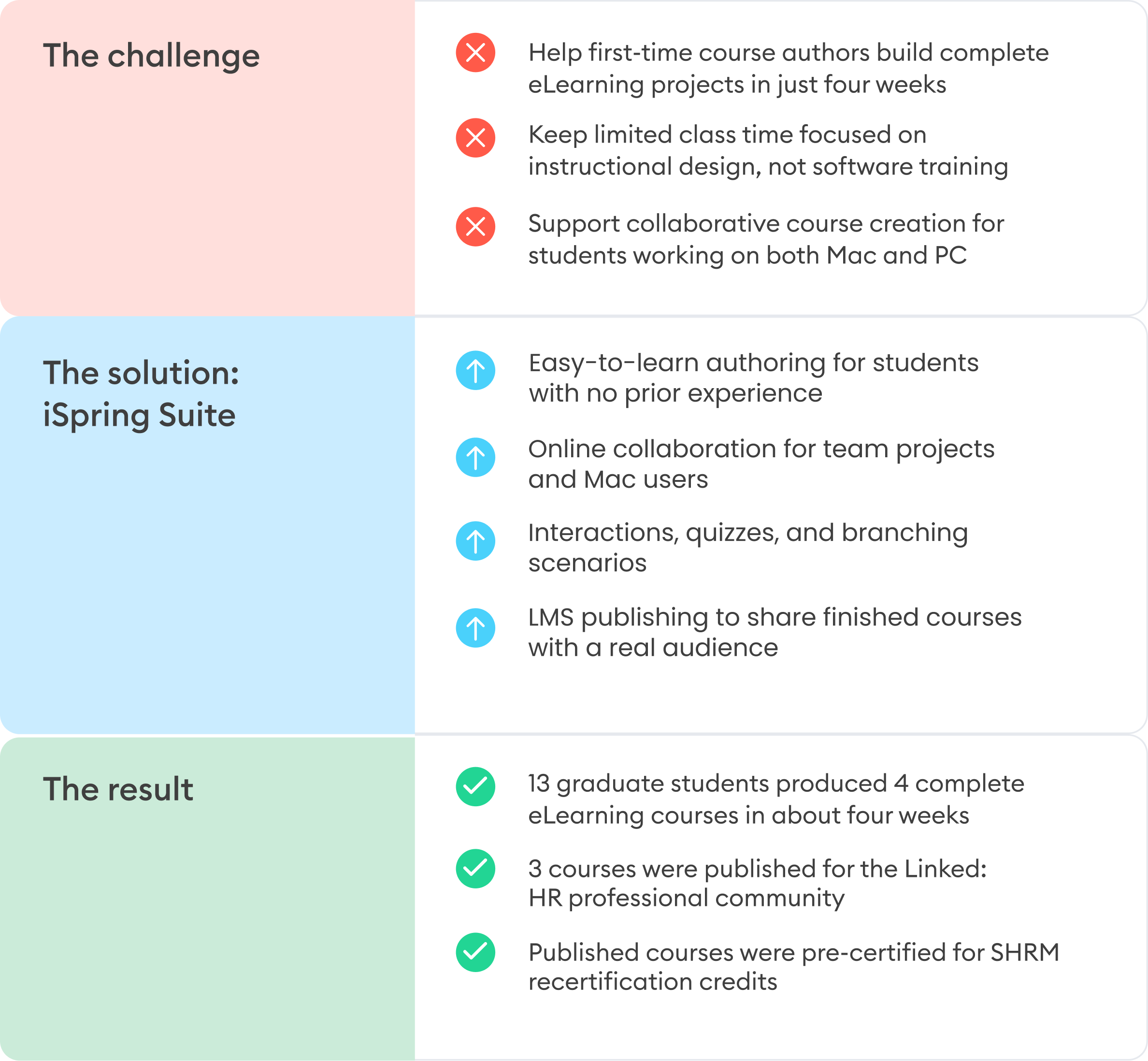
One of the objectives of HRD 647 is for students to develop and present an instructional design project using eLearning tools. Cris wanted students to gain practical course authoring experience and create something that could be used beyond the classroom.
I wanted students to move past just talking about eLearning and actually build it — solving a real-world instructional design problem and creating a usable course for a real audience, not just completing an assignment for a grade.
Cris Wildermuth
The main constraint was time. The entire course runs for seven weeks, and students had about four weeks to build and submit their projects. Most were new to instructional design, so Cris needed an authoring tool they could learn quickly and start using without spending much of the course on software training.
Ease of use for students with a very short runway (roughly four weeks), Mac/PC compatibility, and the ability to share finished work externally were the things I was most focused on.
Cris Wildermuth
Cris had previously used Easygenerator for the same type of project, but its trial period wasn’t long enough to cover the full course. She needed another solution that students could access throughout the project.
The Solution: iSpring Suite AI
Cris had known about iSpring for years and revisited it when she needed a new authoring solution for HRD 647. What made it a strong fit was the combination of familiar PowerPoint-based authoring, online collaboration, and the flexibility to work across different devices.
I first came across iSpring years ago while exploring eLearning tools generally. I recently picked up a free version, since I’m always looking for good technology to share with students.
Cris Wildermuth
Fast onboarding for first-time course creators
One of the main advantages for Cris was how quickly students could begin working in the tool. The PowerPoint-based desktop environment felt familiar, while the browser-based workspace required little technical setup.
The tool was intuitive, so I could focus my limited teaching time on instructional design quality rather than spending that time teaching the software itself.
Cris Wildermuth
Collaborative course development: From class project to published course
Students built their courses during weekly three-hour synchronous sessions. They worked in Microsoft Teams breakout rooms, with Cris moving between groups to answer questions and holding additional meetings when needed.
Most teams used the browser-based iSpring Cloud environment, including students on Macs. One team worked in the desktop version of iSpring Suite. Cris also shared tutorials with the class, including a recording of her own onboarding session with an iSpring representative.
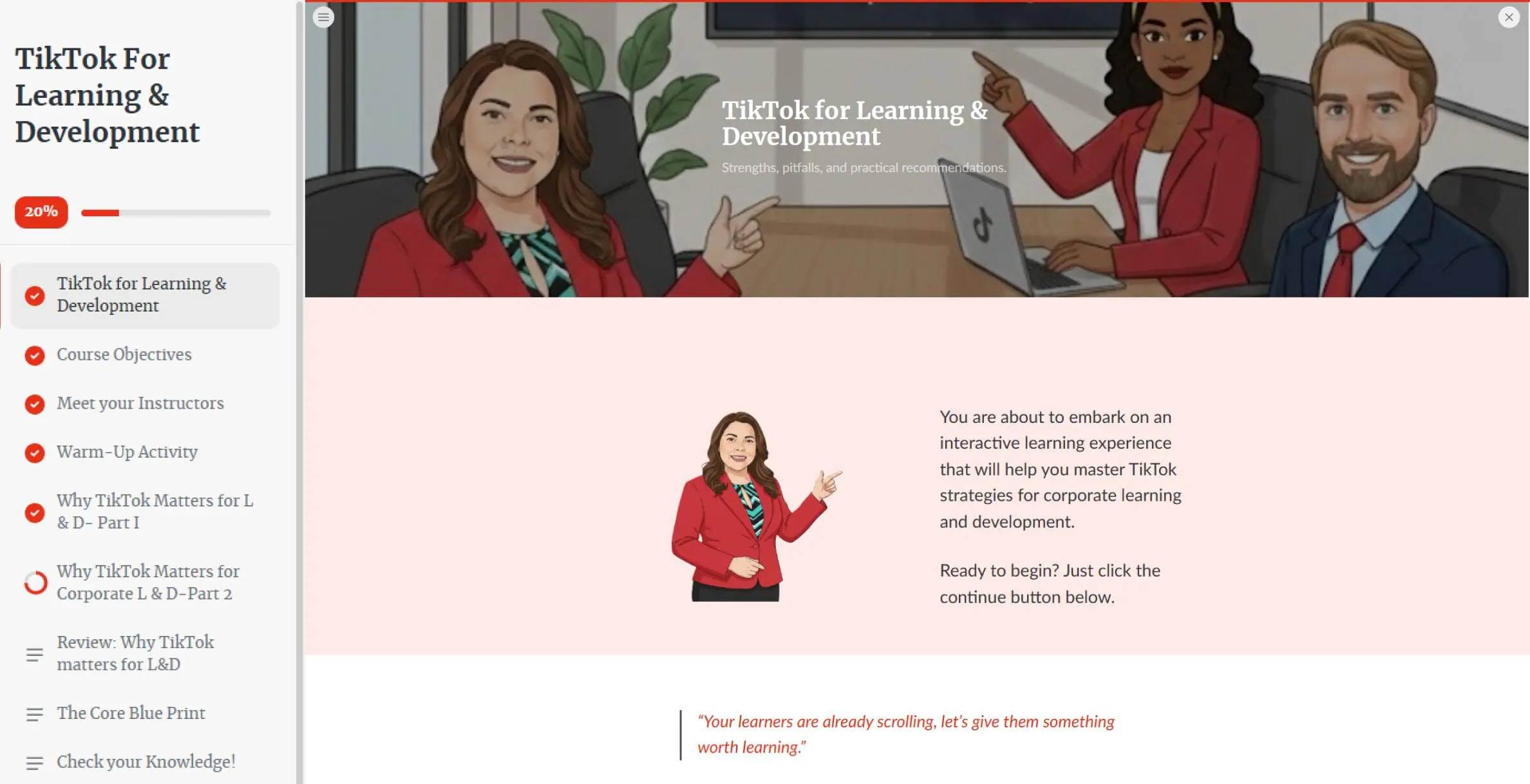
A scrollable course created in iSpring Cloud AI, the browser-based part of iSpring Suite AI.
Hands-on practice with different eLearning formats
The project also gave students room to experiment with different ways of designing digital learning within the same authoring environment.
My students made heavy use of the visual and interactive components: tab interactions, hotspot/magnifier reveals, and quick quizzes in iSpring Cloud, plus branching scenarios in iSpring Suite.
Cris Wildermuth
For first-time course authors, this meant they could test different approaches to presenting content, checking understanding, and creating learner interactions within a single real-world project. They weren’t limited to a single course format, which gave them a broader view of how different eLearning activities work in practice.
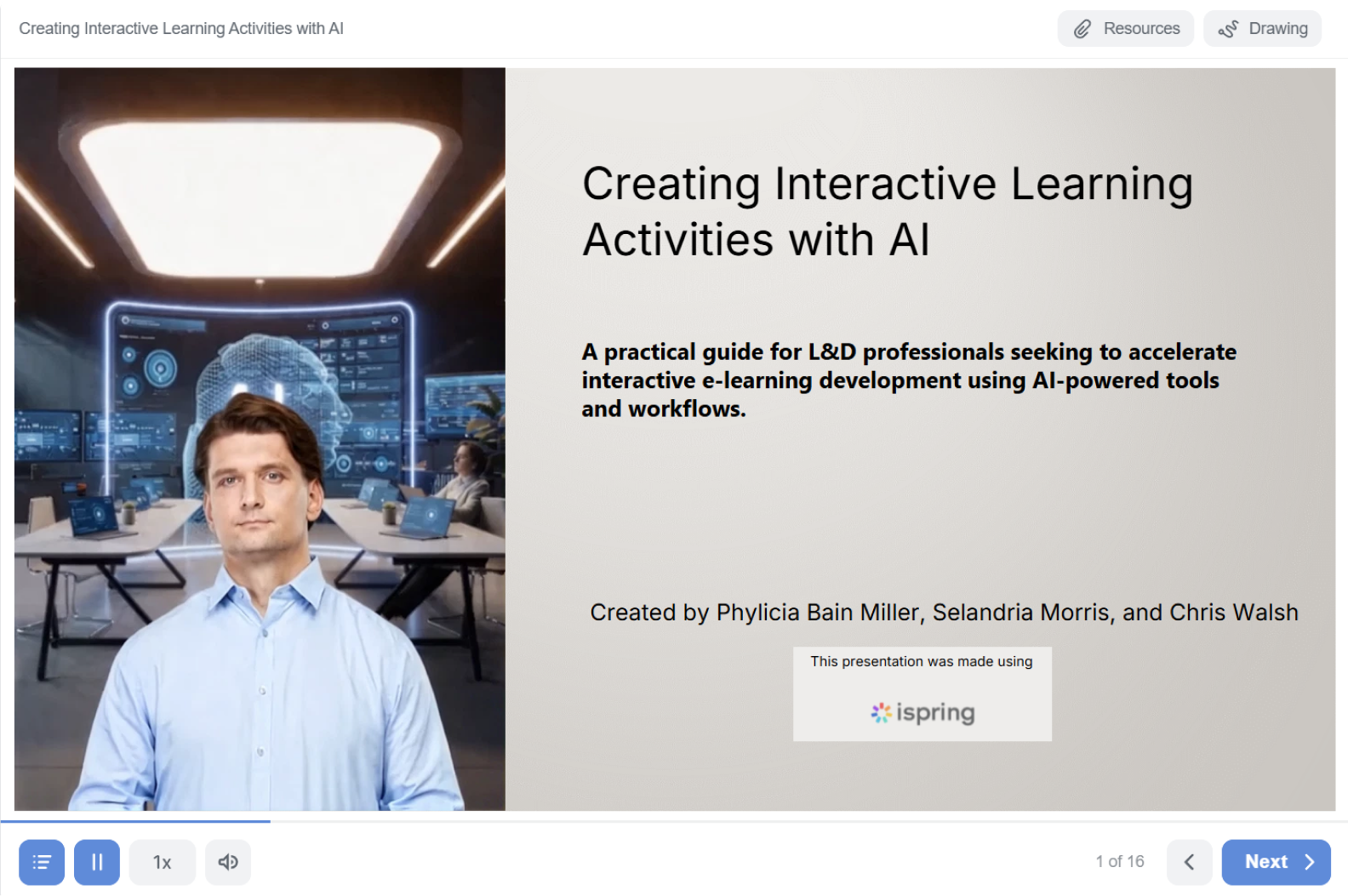
A slide-based course built in the iSpring Suite desktop app with AI avatars, interactive elements, and quizzes.
Cris was particularly impressed by the quality of what they were able to produce:
iSpring Suite let students build genuinely polished, professional-looking courses despite having zero prior authoring experience.
Cris Wildermuth
The Results
In about four weeks, 13 graduate students produced four complete eLearning courses. Three teams then chose to take their projects further and prepare them for an external audience.
Those three courses were published for the Linked:HR professional community and pre-certified for SHRM recertification credits. The courses are still available through the iSpring LMS, giving the students’ work a life beyond the original class project.
Academic results were similar to those of previous semesters, but Cris saw a clear difference in the quality of the final deliverables:
What was clearly stronger was the quality of the courses themselves. iSpring made it possible to publish the students’ work in an LMS and share it with real professionals, so they knew their names would be attached to something people would actually use — not just something that would be graded and filed away.
Cris Wildermuth
Student reflections reinforced Cris’s assessment. Students described discovering new ways to create interactive learning and seeing authoring tools as part of the collaboration and communication process. For at least one student, the project also made instructional design feel like a genuine career path.
Create online courses and assessments in record time.