Rapid Scrollable Course Creation with AI


Course Creation Sprint | September 28th–October 6th
Rapid Scrollable Course
Creation

Learn how to build modern scrollable courses in just one week using AI tools, proven instructional design frameworks, and hands-on expert-led workshops.
Course Creation Sprint | September 28th–October 6th
Rapid Scrollable
Course Creation

Learn how to build modern scrollable courses in just one week using AI tools, proven instructional design frameworks, and hands-on expert-led workshops.
A must-attend if you ...
want to create courses faster, smarter, and with real support from AI tools and expert guidance.


Teams creating courses collaboratively
Work together more effectively on course creation.
You’ll streamline collaboration, align content faster, and reduce back-and-forth during course development.

Solo course creators
Speed up production without losing control over quality.
You’ll optimize your workflow, organize feedback clearly, and use AI to turn raw content into a structured course you can actually finish.

Companies testing iSpring tools
Get a clear, hands-on understanding of how the tools work in course production.
You’ll go through practical cases and see how scrollable formats and AI-supported workflows perform in real scenarios.

Career switchers and new instructional designers
Build your first structured course with clear guidance.
You’ll follow proven instructional design steps and create a portfolio-ready project without guessing what “good” looks like.
A must-attend if you ...
want to create courses faster, smarter, and with real support from AI tools and expert guidance.
Teams creating courses collaboratively
Work together more effectively on course creation.
You’ll streamline collaboration, align content faster, and reduce back-and-forth during course development.
Solo course creators
Speed up production without losing control over quality.
You’ll optimize your workflow, organize feedback clearly, and use AI to turn raw content into a structured course you can actually finish.
Companies testing iSpring tools
Get a clear, hands-on understanding of how the tools work in course production.
You’ll go through practical cases and see how scrollable formats and AI-supported workflows perform in real scenarios.
Career switchers and new instructional designers
Build your first structured course with clear guidance.
You’ll follow proven instructional design steps and create a portfolio-ready project without guessing what “good” looks like.
In this sprint, you’ll gain:
01

Skills to apply modern AI tools at each stage of course creation to design learning experiences faster and more effectively
02
Guidelines on responsible AI usage for content generation within structured instructional design frameworks
03
Confidence in creating scrollable, page-based learning courses
04
UI techniques to improve learner attention, engagement, and recall
05
Guidance for creating professional course visuals using iSpring Cloud AI tools
06
Tools to optimize collaborative workflow with iSpring Cloud AI and Miro
07
Live practical sessions with our internal experts where you apply everything in real time
08
A portfolio-ready, expert-reviewed scrollable course you can use to showcase your skills
In this sprint, you’ll gain:
01
Skills to apply modern AI tools at each stage of course creation to design learning experiences faster and more effectively
02
Guidelines on responsible AI usage for content generation within structured instructional design frameworks
03
Confidence in creating scrollable, page-based learning courses
04
UI techniques to improve learner attention, engagement, and recall
05
Guidance for creating professional course visuals using iSpring Cloud AI tools
06
Tools to optimize collaborative workflow with iSpring Cloud AI and Miro
07
Live practical sessions with our internal experts where you apply everything in real time
08
A portfolio-ready, expert-reviewed scrollable course you can use to showcase your skills
5x the value in 5 learning blocks

TECHNICAL LIVE SESSION
Learning block 1
September 28th
10:00 a.m. - 11:00 a.m. EDT
Introduction to the Rapid Course Creation Sprint roadmap and expected outcomes
Core instructional design principles
Setup and access check (iSpring Cloud AI, LMS, Miro)
Practical assignment (setting course goals)

LIVE HANDS-ON SESSION
Learning block 2
September 29th
10:00 a.m. - 12:00 p.m. EDT
Privacy basics and responsible AI use
Core rules of effective course creation
Top AI tools for content creation in real scenarios
Universal prompting principles
Practical assignment (content creation)

ASYNC LEARNING
Learning block 3
September 30th
SELF-PACED LEARNING
(No live session)*
(No live session)*
Key differences between scrollable and slide-based courses
Advantages of scrollable learning experiences
Core elements of iSpring Cloud AI for course building
Overcoming design and resource limitations
*This module is completed independently in the LMS. Review the materials and finish the practical assignment before the next live workshop.
LIVE HANDS-ON SESSION
Learning block 4
October 1st
10:00 a.m. - 12:00 p.m. EDT
Collaborative course creation in iSpring Cloud AI
AI-supported course structuring
Q&A session
Practical assignment (adding UI design elements).

LIVE FEEDBACK SESSION
Learning block 5
October 6th
10:00 a.m. - 11:00 a.m. EDT
Case study review
Peer and expert feedback
Actionable recommendations for improving your course
5x the value in 5 learning blocks
TECHNICAL LIVE SESSION
Learning block 1
September 28th
10:00 a.m. - 11:00 a.m. EDT
Introduction to the Rapid Course Creation Sprint roadmap and expected outcomes
Core instructional design principles
Setup and access check (iSpring Cloud AI, LMS, Miro)
Practical assignment (setting course goals)
LIVE HANDS-ON SESSION
Learning block 2
September 29th
10:00 a.m. - 12:00 p.m. EDT
Privacy basics and responsible AI use
Core rules of effective course creation
Top AI tools for content creation in real scenarios
Universal prompting principles
Practical assignment (content creation)
ASYNC LEARNING
Learning block 3
September 30th
SELF-PACED LEARNING (No live session)*
Key differences between scrollable and slide-based courses
Advantages of scrollable learning experiences
Core elements of iSpring Cloud AI for course building
Overcoming design and resource limitations
*This module is completed independently in the LMS. Review the materials and finish the practical assignment before the next live workshop.
LIVE HANDS-ON SESSION
Learning block 4
October 1st
10:00 a.m. - 12:00 p.m. EDT
Collaborative course creation in iSpring Cloud AI
AI-supported course structuring
Q&A session
Practical assignment (adding UI design elements).
LIVE FEEDBACK SESSION
Learning block 5
October 6th
10:00 a.m. - 11:00 a.m. EDT
Case study review
Peer and expert feedback
Actionable recommendations for improving your course
How you’ll learn
01
Claim your seat
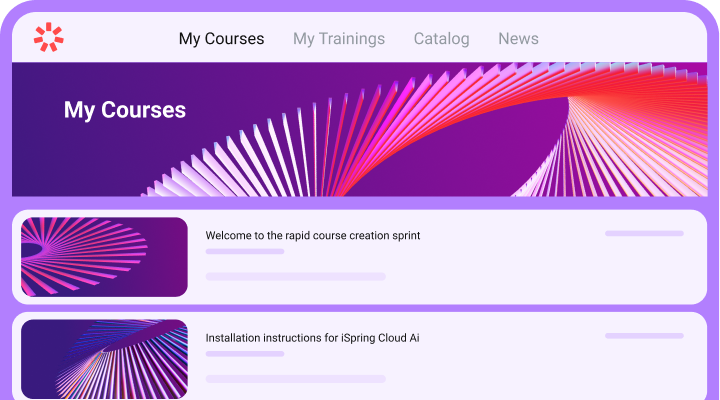
Register via the form below. Your seat includes access to iSpring Cloud AI, so no extra preparation is needed — purchase access, log in, join us on September 28th-October 6th, and improve your performance.
02
Join the Sprint
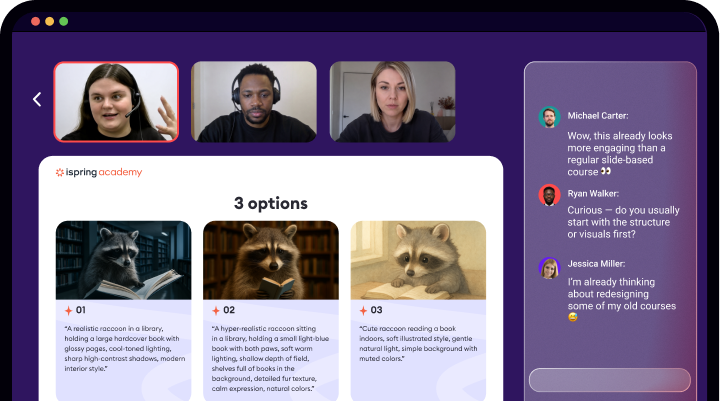
Your participation spans more than a week of focused learning, combining concepts, hands-on practice, and expert feedback. Work on practical assignments, complete your daily exercises, and get personalized tips.
03
Walk away with confidence
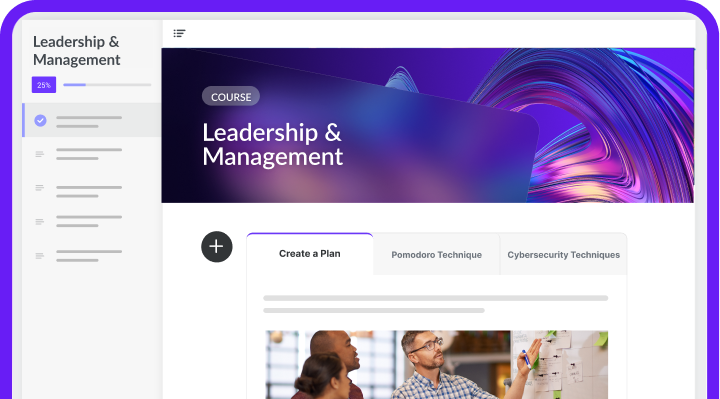
Along with a new, portfolio-ready, expert-reviewed project and a participation certificate, you’ll complete the intensive course equipped with new skills you can apply to your work from day one.
How you’ll learn
01
Claim your seat
Register via the form below. Your seat includes access to iSpring Cloud AI, so no extra preparation is needed — purchase access, log in, join us on September 28th-October 6th, and improve your performance.
02
Join the Sprint
Your participation spans more than a week of focused learning, combining concepts, hands-on practice, and expert feedback. Work on practical assignments, complete your daily exercises, and get personalized tips.
03
Walk away with confidence
Along with a new, portfolio-ready, expert-reviewed project and a participation certificate, you’ll complete the intensive course equipped with new skills you can apply to your work from day one.
Start exploring what’s beyond the AI tools you use today
Get a head start before the sprint begins with AI Tools for Every Step of ADDIE (2026 Edition) — your practical guide to the latest AI tools and how they can support every stage of course creation.

Inside the guide

A curated AI toolkit for all five ADDIE stages
Real instructional design use cases for today’s leading AI tools
Practical guidance on when and why to use different AI models
Explore the guide now. Take your AI skills further during the sprint.
We've just emailed you the resources.
Please check your inbox,
and happy learning!
and happy learning!

Get inspired by courses you'll be able to create




Here’s why people love our rapid course creation sprint
Meet your course instructors

Anna Poli
Senior Instructional
Designer at iSpring
Designer at iSpring
Anna Poli is a senior instructional designer with over 8 years of experience creating eLearning content for diverse audiences and training needs. As a keynote instructor at iSpring trainings, she has led:
5 intensive training cycles with 130+ participants
a comprehensive ID video course with 140+ learners
40+ webinars on instructional design
LinkedIn
Feel free to connect with Anna on LinkedIn, where she regularly shares ID tips and expert insights for novice and seasoned eLearning professionals.
Mastering rapid course creation is easier than ever. This is your starting point:
Full access to the course creation sprint
Free one-month access to iSpring Cloud AI — an industry-leading tool for creating scrollable courses
Personal expert feedback on your first AI-assisted scrollable course
60-day access to course modules and recordings
A certificate of completion issued by iSpring
Exclusive guides on iSpring AI and UI design principles
$197
Mastering rapid course creation is easier than ever. This is your starting point:
Full access to the course creation sprint
Free one-month access to iSpring Cloud AI — an industry-leading tool for creating scrollable courses
Personal expert feedback on your first AI-assisted scrollable course elements
60-day access to course modules and recordings
A certificate of completion issued by iSpring
Exclusive guides on iSpring AI and UI design principles
$197

25 years
in the eLearning industry
600+
expert webinar sessions
34,800+
webinar attendees
360+
iSpring Academy alumni
25 years
in the eLearning industry
600+
expert webinar sessions
34,800+
webinar attendees
360+
iSpring Academy alumni
FAQ
Is the Sprint live, self-paced, or a combination of both?
The AI Sprint combines both formats. You'll complete self-paced learning materials on your own schedule and join live online workshops where you'll practice new skills, work on assignments, and get answers to your questions from the instructor.
What if I miss a live session?
No problem! All live workshops are recorded and uploaded to the learning platform, so you can watch them whenever it's convenient. You'll have access to all recordings and course materials for 2 months from the Sprint start date.
Will I receive a certificate after completing the Sprint?
Yes. You'll receive a Certificate of Completion after successfully completing the required practical assignments.
What do I need before the Sprint begins?
To participate, you'll need:
A computer with a stable internet connection.
An active iSpring Suite AI subscription, or a complimentary 30-day full iSpring Suite AI license provided by us if you don't already have one.
No prior experience with AI or course development is required.
Will I get access to iSpring Suite AI and other AI tools?
Yes. We'll provide 30-days of access to iSpring Suite AI starting on the first day of the Sprint, giving you plenty of time to complete all practical assignments.
The other AI tools introduced during the Sprint are free and publicly available.
How long will I have access to the course materials after the Sprint?
All learning materials, workshop recordings, and assignments will remain available on the learning platform for 2 months from the Sprint start date, so you can revisit the content and continue practicing after the live sessions end.