20 minutes
 562833 views
22 PowerPoint Add-ins and Plug-ins – Free & Paid – for 2024
20 minutes 562833 views


If you go to the Microsoft Office website, you’ll see hundreds of PowerPoint add-ins. But, in reality, the list of existing PowerPoint plugins is far more extensive. So, it can be pretty challenging to find the right PowerPoint add-ins for your presentation. Don’t worry, though, because we’ve thought this out for you!
In this article, we’ve compiled 22 PowerPoint add-ins (both paid and free) that will help you create stunning presentations (and even full-fledged eLearning courses) and get them done easier and faster. Let’s dive in!
| Category | Product name | Price |
| Interactive slides and courses | iSpring Suite | Starts at $770 per year |
| Converting presentations | iSpring Free | Free |
| Beautiful designs | Power-User | Basic options are free, the premium plan is $225 per year per user. |
| Slideshows | ToolsToo | $19.95 (one-time payment) |
Best PowerPoint Add-ins and Plug-ins for Creating Interactive Slides
Here is the list of PowerPoint add-ins and plug-ins for creating presentations with interactive quizzes, as well as polls and surveys.
1. iSpring Suite
A PPT Add-in to Turn Your Slides into Engaging eLearning Courses
Supported PowerPoint versions (both 32- and 64-bit editions): 2007, 2010, 2013, 2016, and 2019 for Windows 7, 8, and 10.
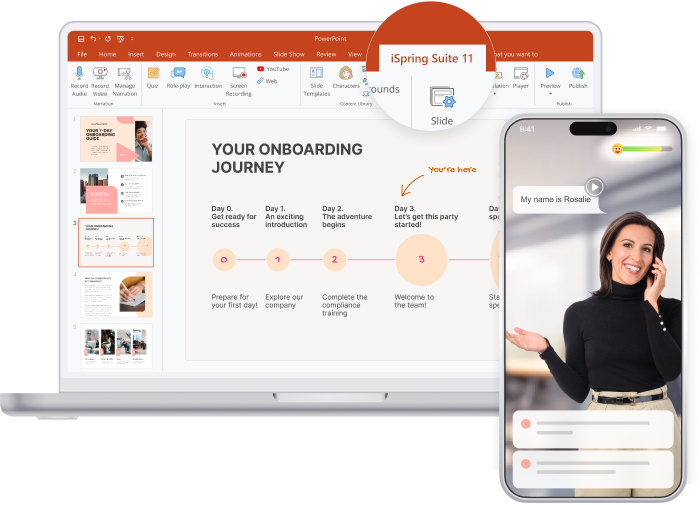
If you use PowerPoint to create eLearning courses, you can make them more compelling and interactive with iSpring Suite. This toolkit is definitely one of the best PowerPoint add-ins on the market. It allows you to turn PPT presentations into supercharged interactive courses that will play perfectly on any device and take your learning content to the next level.
Here’s what you can create with iSpring Suite:
- Online mobile-ready courses. Convert your presentations into interactive custom courses in HTML5, SCORM, AICC, Tin Can API, and MP4 formats.
- Professional video training. Create video-based courses with graphics, transitions, annotations, and visual hints, and easily edit videos on the spot.
- Quizzes and surveys. Create interactive quizzes with 14 question templates, including drag-and-drop, hotspot, and multiple response. Customize testing rules and design as you see fit.
- Interactive simulations. Use interactive simulations with ready-made characters and locations to train communication skills in real-life situations.
- Interactions. Present content intelligently with 14 interactive templates: Timeline, Pyramid, Media cards, Accordion, and more.
- Video lectures. Synchronize an expert video with presentation slides.
- Screencasts and video editing. Quickly make and fine-tune video tutorials and how-tos.
- eBooks. Turn your Word and PDF documents into interactive books with a page-flipping effect within minutes.
- Content Library. Build courses faster with tons of ready-made characters, templates, icons, buttons, objects, and locations.
- Custom characters. Choose a character from Content Library and customize everything from skin tone to clothing to make it perfect for your topic or audience.
Pricing
Plans start at $770 per year.
Value for money: The plug-in offers extensive features, allowing you to turn ordinary presentations into interactive courses easily. No other tool can boast the same functionality.
2. Mentimeter
A PPT Add-in to Get Your Audiences Involved with Interactive Polls and Quizzes, GIFs, and Word Clouds
Supported PowerPoint versions: Microsoft PowerPoint 2010, 2013, and 2016 for Windows, PowerPoint 2016 for Mac, and PowerPoint Online
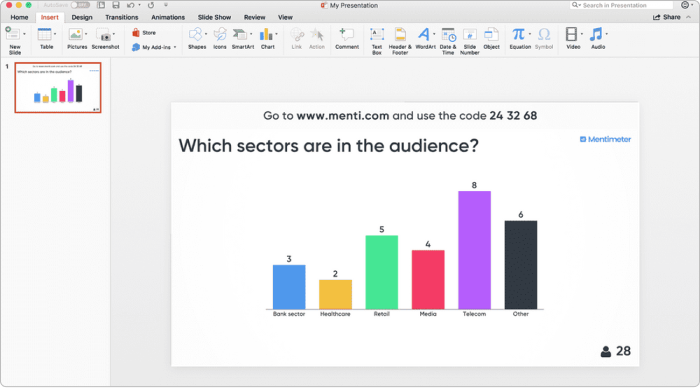
Mentimeter offers Microsoft PowerPoint add-ins that allow you to turn training, meetings, workshops, and conferences into interactive experiences. Ask your audience a multiple-choice question, let them vote with their smartphones, visualize their opinions in real time, or host a quiz competition. Besides polls and Q&As, you can add slides, images, GIFs, and word clouds to your PowerPoint presentations.
Pricing
Mentimeter’s basic features are available for free. To get advanced options, you can opt for a premium plan. Plans start at $143.88 per year.
Value for money: Mentimeter provides good entry-level functionality at an affordable price.
3. ClassPoint
A PPT Add-in to Create Gamified Quizzes
Supported PowerPoint versions: Microsoft Office PowerPoint 2013 and later, on both Windows and Mac
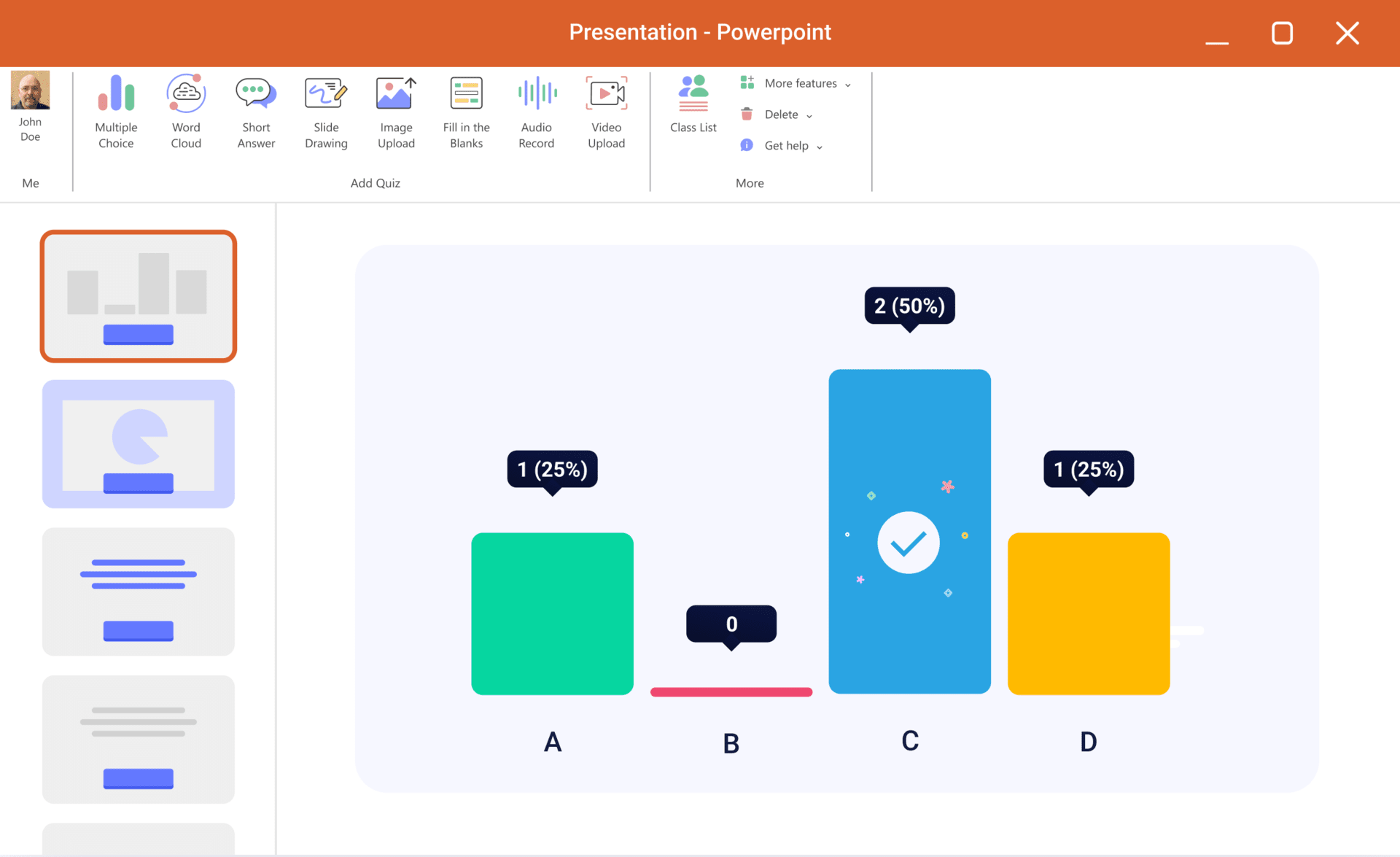
ClassPoint is a PowerPoint add-in that lets you create engaging presentations. The app empowers you to add a timer directly to your presentation slides, drag-and-drop elements, and interactive quizzes.
Pricing
A free plan is available. Premium plans start at $96 per year when billed annually.
Value for money: The plug-in offers a few features for a reasonable price.
4. Pear Deck Learning
A PPT Add-in to Show Presentations and Check Knowledge at the Same Time
Supported PowerPoint versions: PowerPoint Online
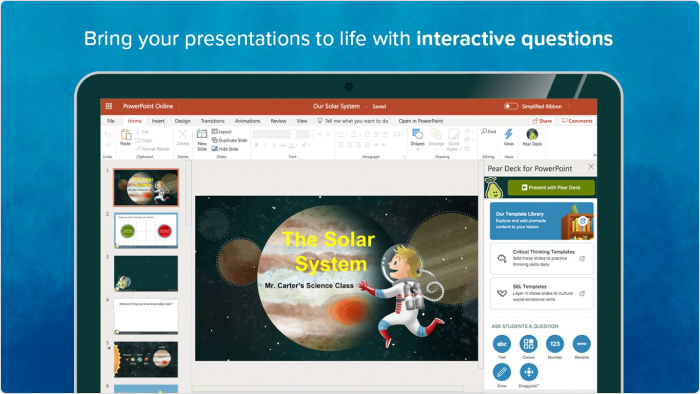
Pear Deck Learning is a popular add-in for PowerPoint Online and Google Slides. This tool lets you create engaging presentations with interactive questions that will pop up on learners’ devices as they advance the slides. Students’ answers will be displayed on the screen or a classroom projector, but they don’t need to worry about giving incorrect answers in front of the class, as all the answers are anonymous.
At the same time, teachers can view all of the quiz results along with other data analytics on their private dashboard and collaborate with their colleagues to develop an individual approach for each student.
Pricing
A free plan is available. Premium plans start at $125 per year.
Value for money: This plug-in only offers quiz-related functionalities. If that’s what you’re going for, it’s good for the price.
5. Inpres
A PPT Add-in for audience interaction during a presentation
Supported PowerPoint versions: Microsoft Office PowerPoint 2013 and later, Microsoft Office PowerPoint 2013 SP1 or later for Windows
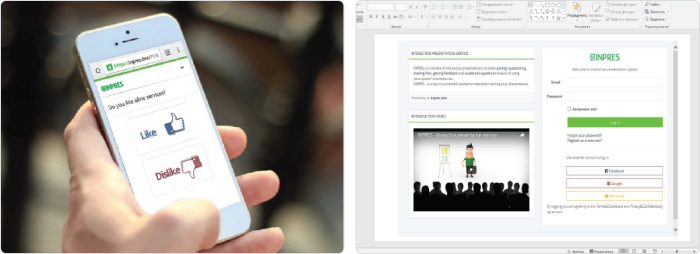
Inpres is a free PowerPoint add-on that helps with creating presentations that keep the audience engaged. The tool allows you to add polls and surveys, gather feedback from the audience, share files, and more.
Pricing
Free
6. Speech-Over Professional
A PPT Add-in to Produce Voice-Overs for Your Presentations
Supported PowerPoint versions: PowerPoint 2007, 2010, 2013, 2016, and 2019 (32- and 64-bit editions) for Windows
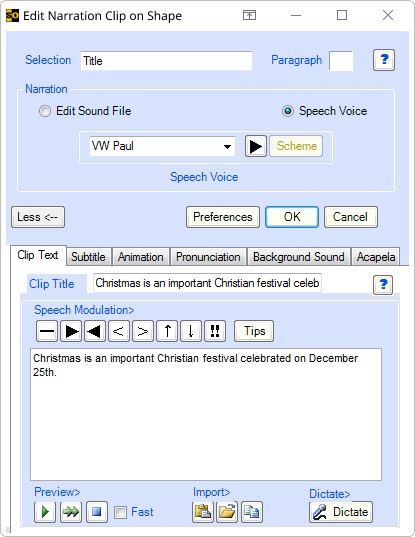
Speech-Over Professional allows you to add voice-overs to PowerPoint-based eLearning courses and training videos. You can use audio narration recordings, ready-made audio files, and realistic text-to-speech voices. Text-to-speech voices are available in different languages and dialects. Simply select a voice, type in your text, and add audio narration.
Pricing
You can access the different versions of the plug-in for a one-time payment of $299.
Value for money: If you need to create voice-overs for training videos, it’s worth the price.
7. Pixton Comic Characters
A PowerPoint Plug-in to Engage Your Audiences by Adding Cartoon Characters
Supported PowerPoint versions: Microsoft Office PowerPoint 2013 SP1 and 2016 for Windows, PowerPoint 2016 for Mac, and PowerPoint Online
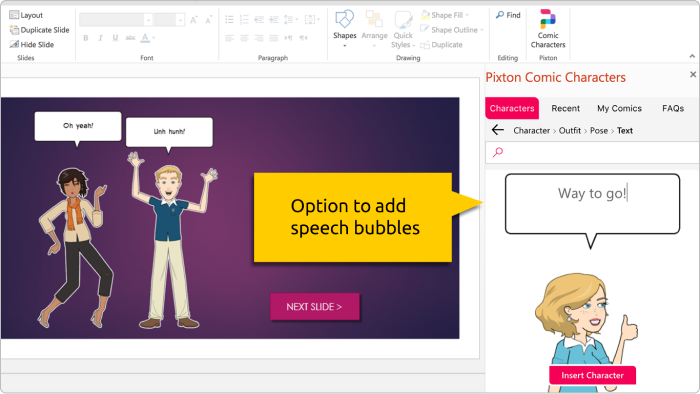
Pixton Comic Characters is one of the best PowerPoint add-ins that provides access to illustrated characters. It allows you to use over 40,000 characters as pedagogical aids in your presentation. They come in different ages, ethnic groups, and genders. Once you choose a character, you can select a clothing style and an appropriate pose. You can also add a speech bubble to your character.
Pricing
Free
Best PowerPoint Add-ins for Converting Slides
Here are some excellent PowerPoint add-ins for converting PowerPoint presentations into different formats.
8. iSpring Free
A PPT Add-in to Convert Your Presentations to HTML5 & SCORM
Supported PowerPoint versions: PowerPoint 2007, 2010, 2013, and 2016 (32- and 64-bit editions) for Windows 7, 8, and 10
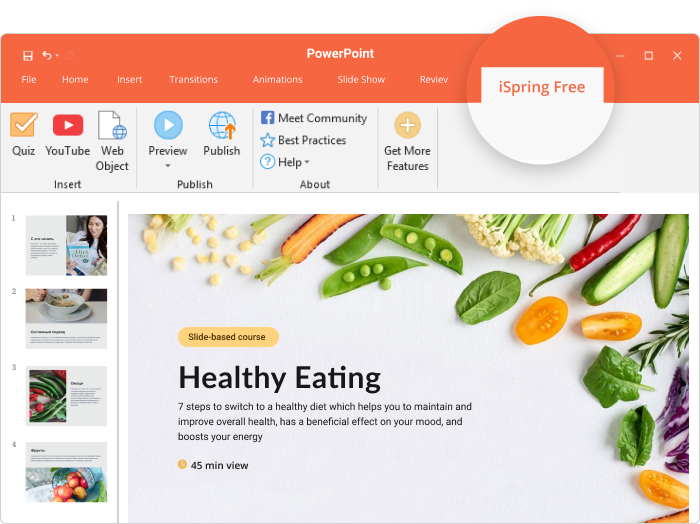
iSpring Free helps you turn your PowerPoint projects into full-fledged eLearning courses. You can convert them into an HTML5 format to post the output online or publish them to SCORM 1.2 or 2004 to upload them to your learning management system. After conversion, all the transitions, animations, and triggers are kept intact.
Enhance your instructional slides with quizzes and surveys, and augment them with YouTube videos and web objects. Courses instantly adapt to any screen and play beautifully on smartphones, tablets, and laptops.
Pricing
Free
9. HTML5Point
A PowerPoint Plug-in for Converting Your Presentations to HTML5
Supported PowerPoint versions: Microsoft Office PowerPoint 2002, 2003, 2007, 2010, 2013, and 2016 for Windows
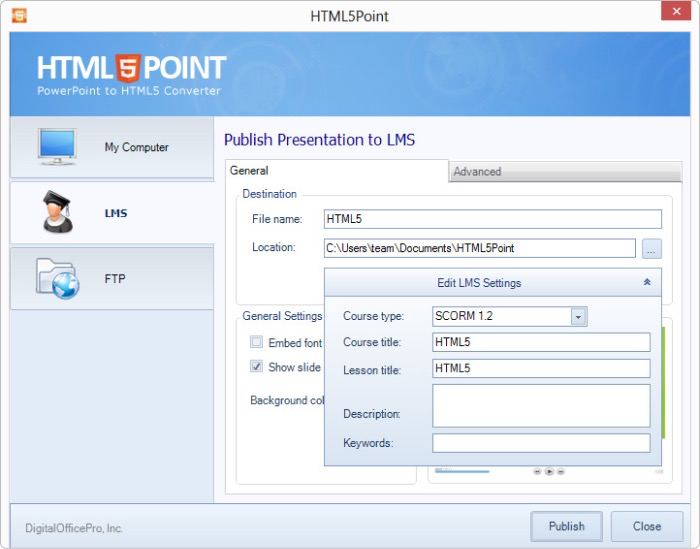
HTML5Point converts PowerPoint presentations to HTML5 content that can be viewed on iPads, iPhones, and other mobile devices. All presentation materials, fonts, rich media content, and most animations and transitions used in presentations are accurately preserved.
Pricing
You can own the tool for a one-time payment of $247.
Value for money: The price is steep, considering the low number of features. But what it does, it does well.
Best PowerPoint Add-ins for Creating Stunning Presentations
Here are the best add-ins for PowerPoint that can help you create presentations with spectacular visuals.
10. Pickit
A PowerPoint Plug-in for Creating Courses Fast Using a 100% Legal Public Image Library
Supported PowerPoint versions: Microsoft PowerPoint 2013 or later on Windows, PowerPoint Online, and PowerPoint on Mac
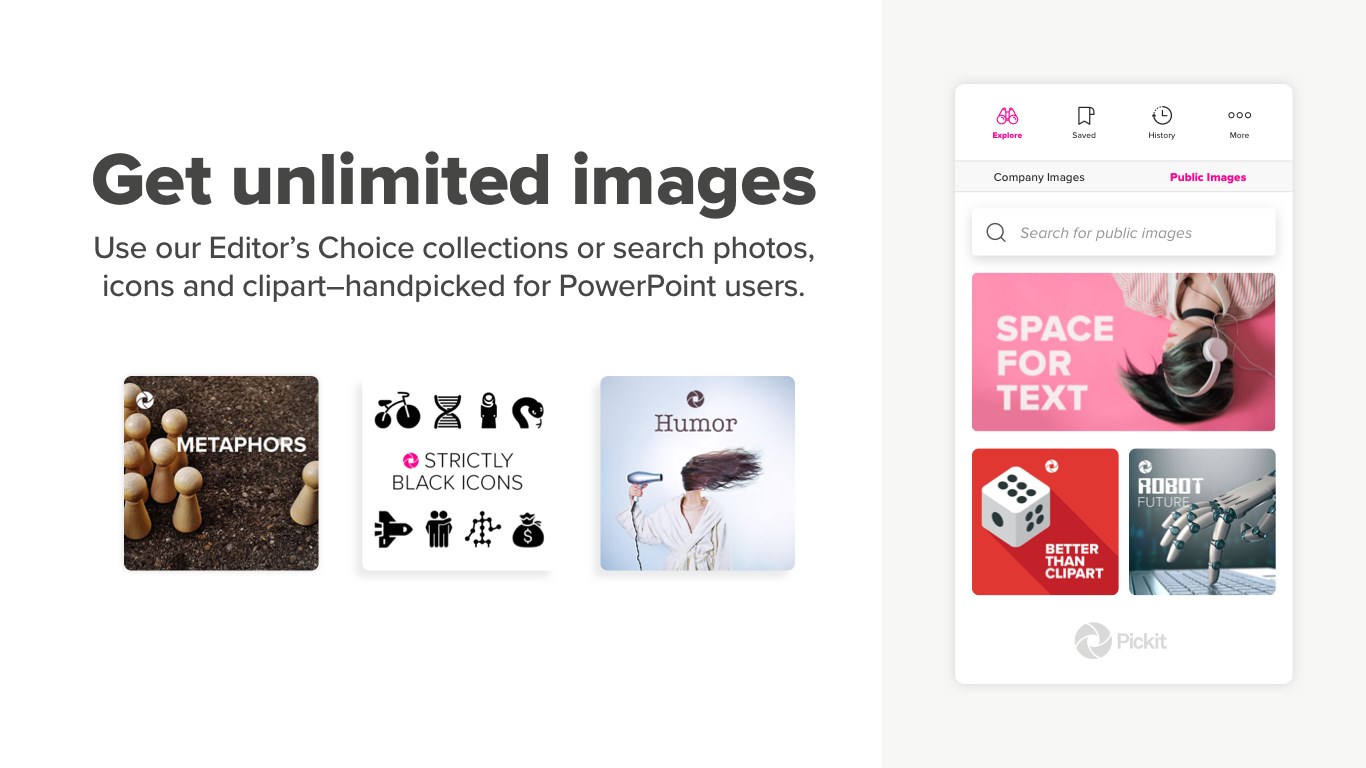
Pickit is a PowerPoint app that offers high-quality stock photos and icons. The tool has an extensive library of images to help you build online courses, create presentations, and more. You can also opt for custom images from the user community.
Pricing
Both free and paid plans are available. When you download the plug-in, you receive a 7-day free trial, after which you can opt for a paid plan at $59.88 per user/year + VAT, or downgrade to a limited free plan.
11. SlidesCarnival
PowerPoint Template Library with Professional Designs
Supported PowerPoint versions: Microsoft Office PowerPoint 2013 or later on Windows, PowerPoint Online, and PowerPoint on Mac
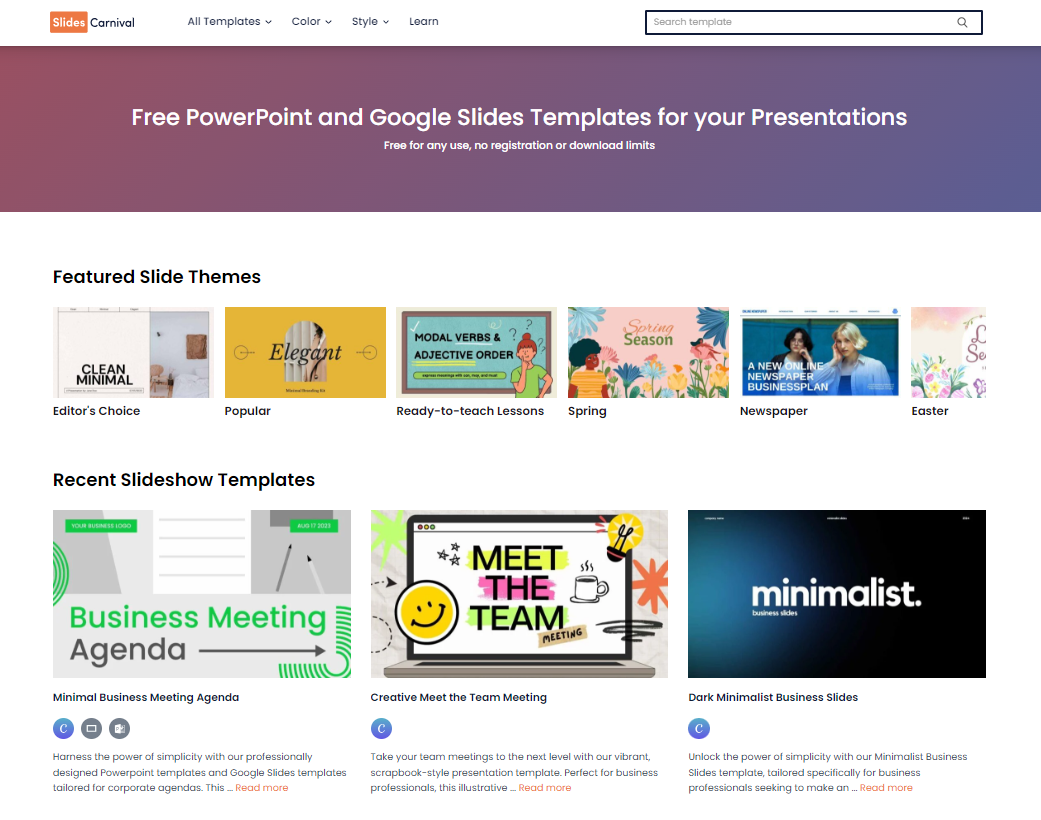
SlidesCarnival offers a large library of free and paid PowerPoint templates with customizable colors and fonts. You can create beautiful slides just like professional graphic designers, but don’t need designer skills. The tool is a good way to get started.
Pricing
Most templates are free, but there are also paid ones.
12. Power-User
A PPT Add-in to Design Beautiful Presentations and Spreadsheets Quickly
Supported PowerPoint versions: Microsoft Office PowerPoint 2007 and higher
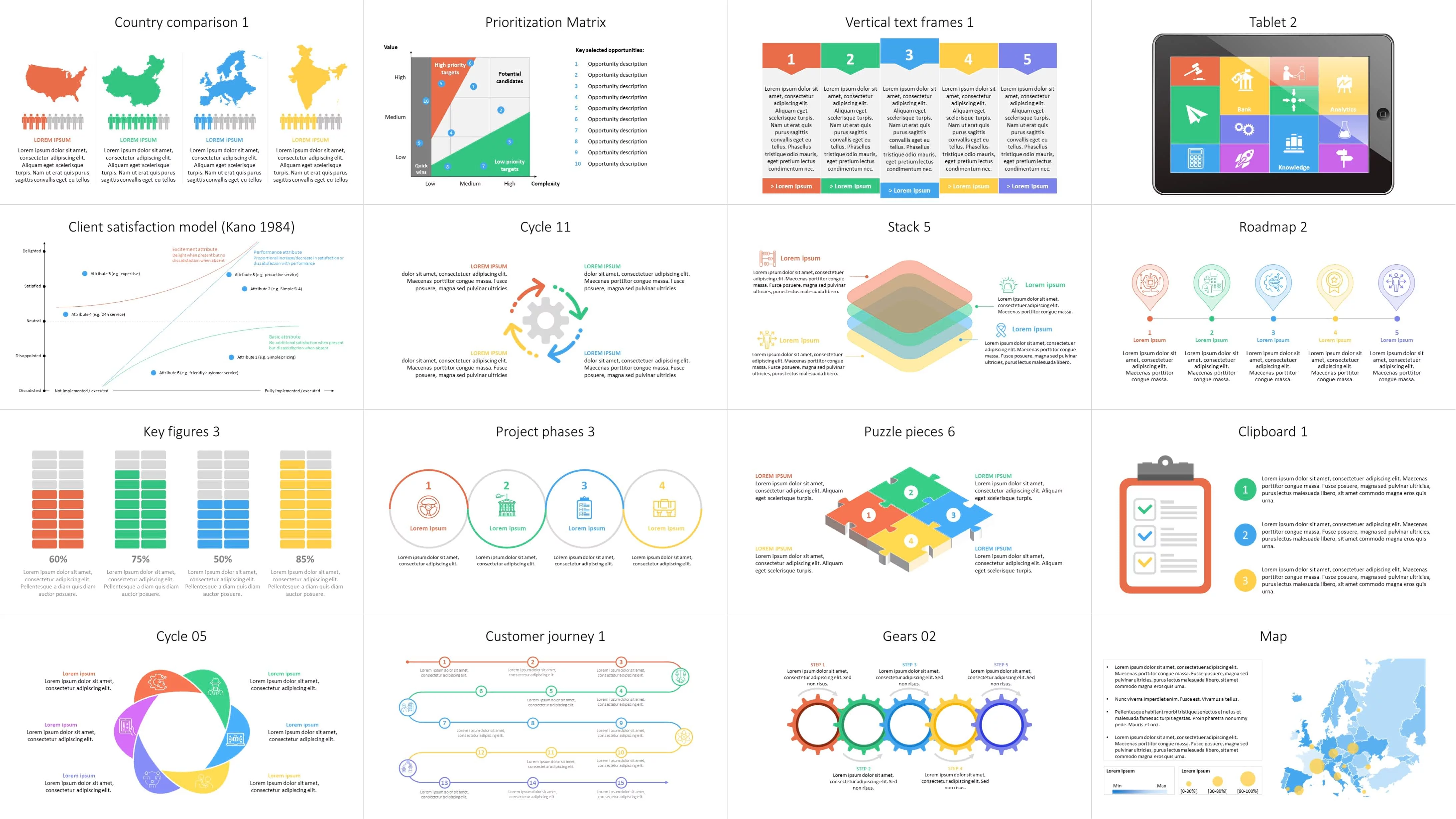
Power-User is a comprehensive free add-in that offers an impressive number of powerful tools to enhance PowerPoint presentations. Insert professionally designed templates, icons, flags, pictures, logos, and maps directly into PowerPoint.
You can also create advanced chart types, such as Waterfall, Marimekko, Sankey, Tornado, or Gantt, link your Excel charts and tables to PowerPoint, and automate formatting to routinely create a table of contents, clean the presentation or make titles, colors, fonts, and bullets consistent throughout the presentation.
Pricing
Basic options are free, but you can get more with a premium plan ($225/year per user).
Value for money: This plug-in will help you elevate the appearance of your presentations. So, it’s definitely worth considering.
13. Pexels
A PowerPoint Plug-in for Populating Presentations with Beautiful Photos
Supported PowerPoint versions: Microsoft PowerPoint 2013 SP1, 2016 for Windows, PowerPoint 2016 for Mac, and PowerPoint Online
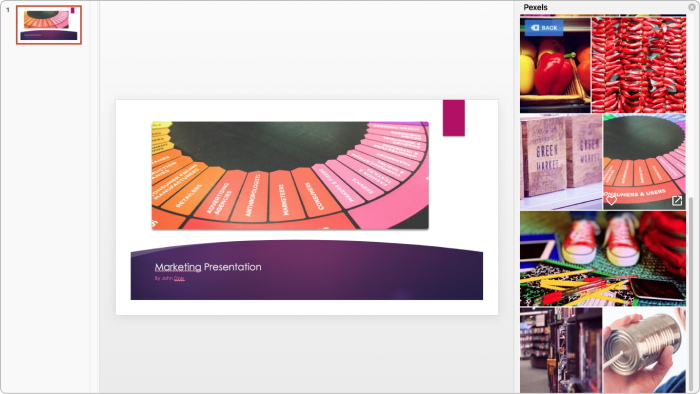
Pexels is an add-in that helps you find free professional stock photos in one place. Use the Search by Color option and other image filters to find the perfect pictures for your PowerPoint presentation. You can highlight and save your favorite images in order to access them later with a few clicks.
Pricing
This plug-in is completely free.
14. PowerPoint Labs
A PPT Add-in to Add Spectacular Visuals to Your Slides
Supported PowerPoint versions: PowerPoint 2010, 2013, and 2016 for Windows
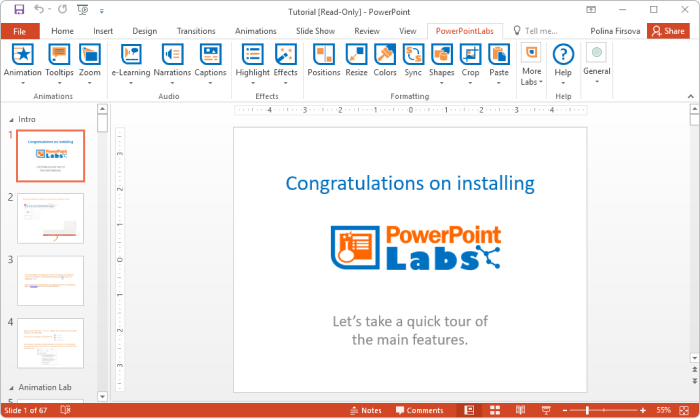
PowerPoint Labs is a time-saving tool that offers several features to make your PowerPoint presentations more eye-catching. For example, the add-in enables you to light up a certain area of a slide and highlight bullet points and segments of text and background. With PowerPoint Labs, you can also zoom in on a particular slide section, crop a single object out of an image, and more.
Pricing
Free
15. Quick Animator
A PPT Add-in for Animating Your Presentation with a Single Click
Supported PowerPoint versions: PowerPoint 2007, 2010, 2013, 2016, 365 (32- and 64-bit editions) for Windows
Quick Animator interacts with PowerPoint add-ins to animate everything on your slides in no time. Choose an animation or transition and apply it to one or more slides with one click. You can also instantly remove all the animations and transitions from your slide show.
Pricing
Quick Animator costs $19.95 per year. It is also available as part of the PowerPoint Business Essentials bundle, which is $199 per year.
Value for money: This plug-in is a real time-saver and offers ease of use, making it a worthy investment.
Best PowerPoint Add-ins for Creating Slideshows
Here are two PowerPoint plug-ins to help you create slideshows that keep audiences engaged.
16. ToolsToo
A PPT Add-in to Simplify the Creation of Large Slide Shows
Supported PowerPoint versions: Microsoft Office PowerPoint 2010, 2013, 2016, and 2019 (32- and 64-bit editions) for Windows

Tools Too is a comprehensive suite of tools designed to make the process of creating presentations much easier. It adds more than 85 powerful yet easy-to-use productivity tools to the PowerPoint ribbon. These include making rounded corners in multiple shapes, extracting selected PowerPoint slides for use in a new presentation, removing unused slide masters and layouts, showing various slide statistics and estimated duration, and others.
Pricing
A free 30-day trial is available. You can also purchase the tool for a one-time payment of $19.95.
Value for money: The plug-in offers a few good features at a reasonable price.
17. Slide Show Duo
A PPT Add-in for Displaying Two Slides at Once
Supported PowerPoint versions: PowerPoint 2000, 2002, 2003, 2007, 2010 (32-bit), and 2013 (32-bit)
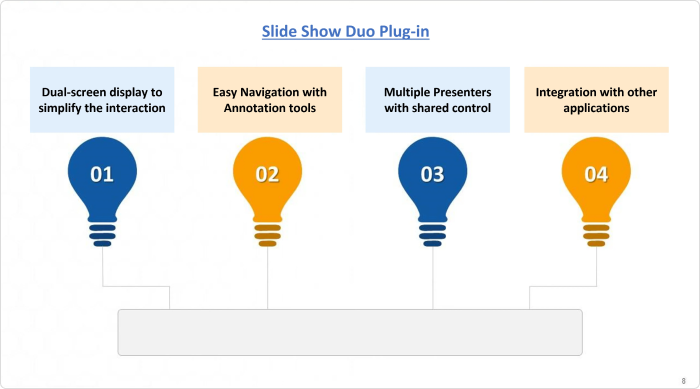
Slide Show Duo lets you show two consecutive PowerPoint slides on a single display. That way, your viewers can retain more information from the previous slide and follow the flow of your presentation.
Pricing
$49.95 for a one-computer license.
Value for money: Decent value for the money spent.
Best PowerPoint Add-ins: Other Categories
Here are some other great tools that empower you to create presentations with additional features, such as QR codes, project timelines, and to-do lists.
18. QR4Office
A PPT Add-in for Generating QR Codes
Supported PowerPoint versions: PowerPoint 2013 and 2016 for Windows, PowerPoint 2016 for Mac, PowerPoint for iPad
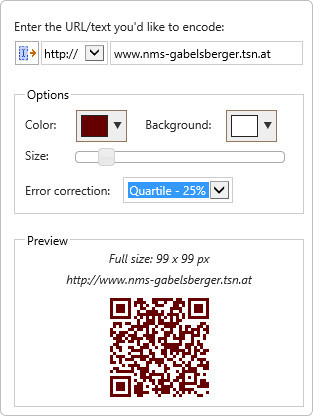
QR4Office is a clean, quick, and easy-to-use QR generator. It allows PowerPoint users to create and insert a QR code into a presentation. Add a QR code in your eLearning course to let participants view additional information with rich media or download reference materials. You can also use a QR code to take a quick poll or collect feedback.
Pricing
Free
19. ToDo List Pro
A PPT Add-in to Keep Track of PowerPoint Tasks
Supported PowerPoint versions: PowerPoint 2013 SP1/2016 for Windows, PowerPoint 2016 for Mac, and PowerPoint Online
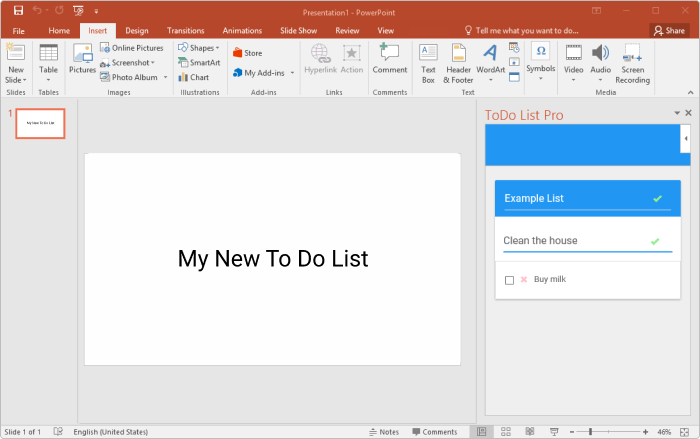
ToDo List Pro is an easy-to-use free add-in that integrates your task list within PowerPoint. It automatically saves the list along with the document. So, the next time you open your slide deck, you can see your pending tasks.
Pricing
Free
20. PP Timer
A PPT Add-in for Adding a Timer to Your Slides
Supported PowerPoint versions: PowerPoint 2013 SP1 or later, PowerPoint 2016 or later for Windows, PowerPoint 2016 for Mac, and PowerPoint Online
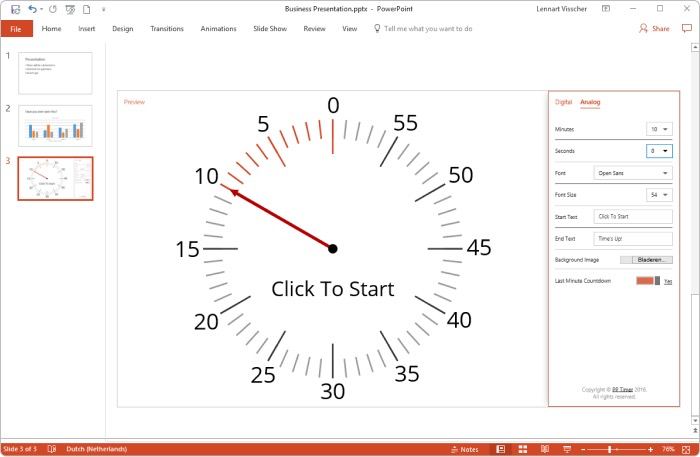
PP Timer is designed to allow presenters to keep track of time when speaking. This plug-in enables you to insert a timer directly into your presentation. You can choose between an analog or a digital timer. When presenting, you can start the timer with a single mouse click.
Pricing
Plans start at $8 per year for an individual license.
Value for money: The plug-in is worth the price, as it features simple functionality at an affordable price.
21. Office Timeline
A PPT Add-in for Creating Schedules, Professional Timelines, and Gantt Charts
Supported PowerPoint versions: PowerPoint 2007 or higher
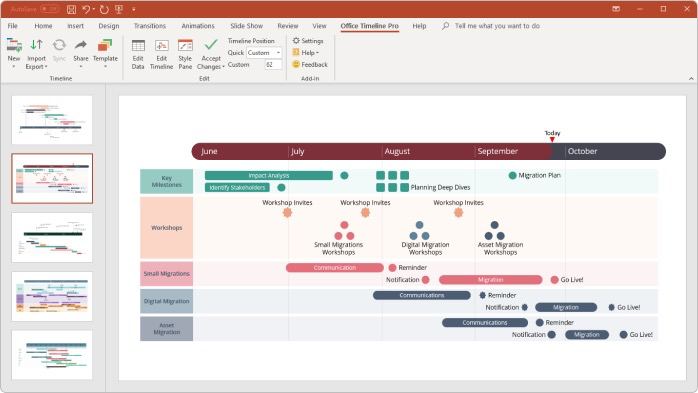
Office Timeline lets you create professional schedules, Gantt charts, and timelines for project planning or tracking purposes. This tool is perfect for knowledge workers, marketers, IT professionals, and project managers. The free version has three templates; you need to upgrade to use the full library.
Pricing
Plans start at $199 per year.
Value for money: The plan grants access to more advanced features that make planning easier and better, so it’s worth considering.
22. MLC PowerPoint Add-in
A PPT Add-in for Getting Slides Done Faster
Supported PowerPoint versions: PowerPoint 2003, 2007, 2010, 2013, 2016, and 2019 for Windows
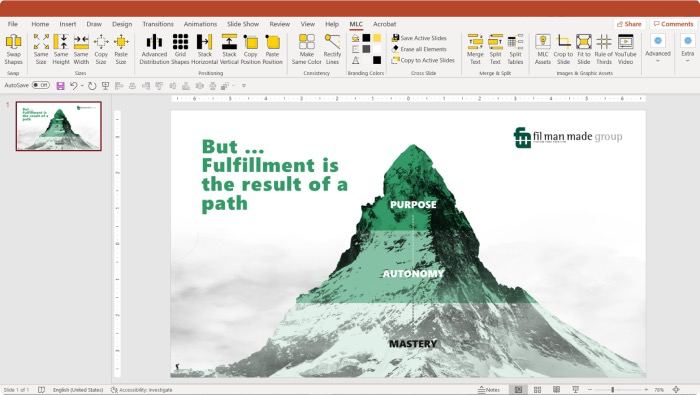
The MLC PowerPoint Add-in offers a set of functionalities developed to speed up your tasks in PowerPoint. For example, it has tools for swapping shape positions, making all items the same size, rectifying lines, replicating selected objects on active presentation slides, making all shapes the same color, and more. Moreover, the plug-in lets you set up your branding colors in PowerPoint and have your corporate assets within reach in just a few clicks.
Pricing
A free 7-day trial is available. Plans start at €77,97/user per year.
Value for money: Automation that saves time is always a plus, so it’s worth the price.
Tips for Using PowerPoint Add-ins and Plug-ins Effectively
No matter which plug-ins you choose, here are some useful tips to get the best PowerPoint experience possible:
- Avoid overloading your presentation. Less is more. Limit the number of PowerPoint extensions to create tidy and professional presentations.
- Choose the right plug-in for the job. Opt for PowerPoint tools that align with your presentation goals and content.
- Research and test plug-ins before installing. Check user reviews, the plug-in’s features, and whether they’re compatible with your version of PowerPoint.
- Use trusted sources and keep plug-ins updated. Download PowerPoint add-ins from official sources and install the latest updates to avoid malware and compatibility issues.
- Customize the plug-in’s settings. Make it a point to adjust the tool’s settings and tailor its functionality to your specific needs.
How to Install and Manage Microsoft PowerPoint Add-ins
There are two ways to download and install PowerPoint add-ins: from the Office store or other sources. Below, you’ll find step-by-step guides for each of them.
Way 1: add-in from the Office Store
If the add-in you’re interested in is in the Microsoft Office Store, the easiest way to download it would be from there. Here’s a quick guide to the entire process.
1. Go to the Microsoft Office Store.
2. Find the add-in.
3. Click on Get it now. Microsoft will automatically download the add-in to your computer.
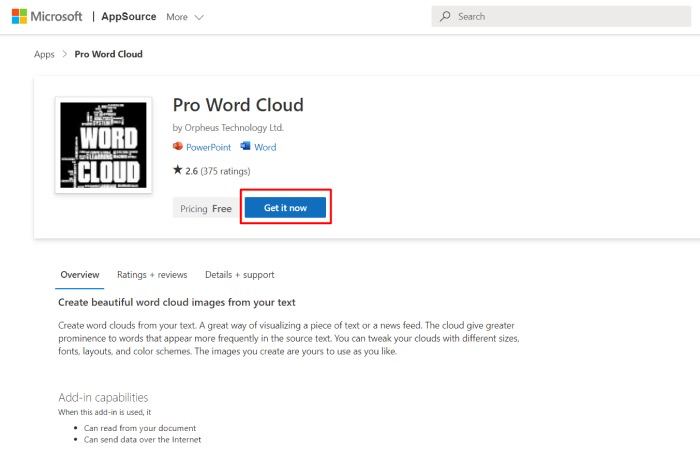
4. Go to PowerPoint and click on Insert. Then select My Add-Ins.

5. In the opened window, click Refresh and select the add-in you’ve installed. That’s it!
Way 2: add-in outside of the Microsoft Office Store
Installing PowerPoint add-ins from other sources is also quite simple but requires a few extra steps. Follow the steps below:
1. Download the add-in.
2. Open PowerPoint and go to File > Options. Then select Add-ins.
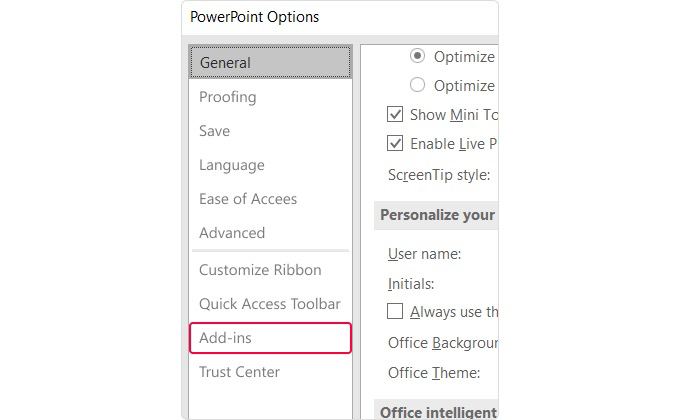
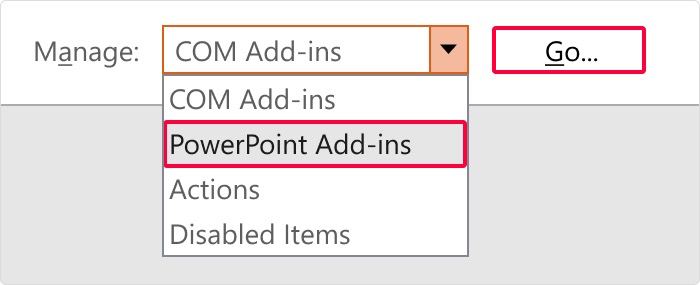
3. Go to the bottom of the window, where you see Manage. Select PowerPoint Add-Ins in the drop-down list and click on Go.
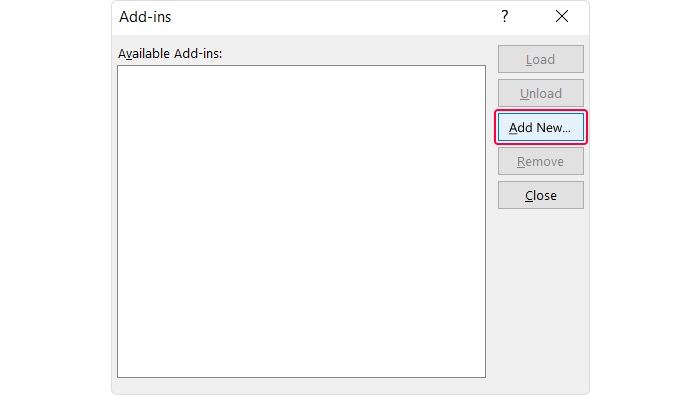
4. In the opened window, click on Add New. Find the add-in on your computer and click OK.
And that’s it; you’re good to go!
How to remove an add-in from Microsoft PowerPoint
1. If you don’t use some of your PowerPoint add-ins anymore, go to File > Options >Add-ins.
2. Toward the bottom of the window, where it says Manage, click on Go.
3. In the opened window, select the PowerPoint add-ins you want to remove.
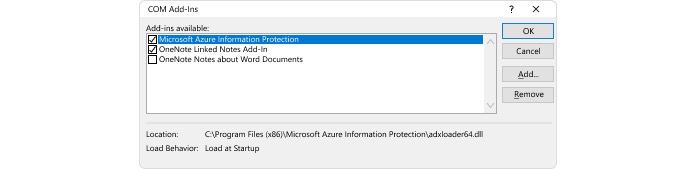
4. To turn off the add-in, just uncheck the box before its name. To uninstall the add-in, select it and click Remove.
5. Click OK to save your changes.
If you’re not taking advantage of some of our favorite PowerPoint add-ins, you’re definitely missing out.
Find your favorites and install them to make your PowerPoint presentation even better and the creation process more manageable.
If you know of other great PowerPoint plug-ins, please share them in the comment section.
FAQ on PowerPoint Add-ins and Plug-ins
If you have other burning questions about PowerPoint add-ins, keep reading.
How do PowerPoint add-ins work?
There are plenty of PowerPoint add-ins, many of which work in a particular manner, so there’s no universal approach for all of them. Tools like iSpring Free and iSpring Suite work like this: you download them, and they’ll appear as an extra tab on the PowerPoint ribbon.
What are the best PowerPoint add-ins?
PowerPoint add-ins differ in their aims and functionality, so choosing the best really depends on your particular case. However, if you need an add-in for online learning, consider iSpring Suite, the best PPT add-in for eLearning, or its free version, iSpring Free.
Is it legal to use PowerPoint add-ins?
Yes, of course! Moreover, some add-in vendors are partners with Microsoft Office Software and are acknowledged by the company for their superior enhancement capabilities.